On this page 11 sections
- How we picked these home network switches
- Comparison table
- Our Top Picks Reviewed
- 1. TP-Link TL-SG108 8 Port Gigabit Unmanaged Ethernet Switch
- 2. TP-Link TL-SG116 16 Port Gigabit Unmanaged Ethernet Switch
- 3. TP-Link TL-SG108E 8 Port Gigabit Easy Smart Managed Switch
- 4. NETGEAR GS308EP 8 Port PoE+ Gigabit Easy Smart Managed Switch
- 5. TP-Link TL-SG108S-M2 8 Port 2.5G Multi-Gigabit Unmanaged Switch
- Buying guide: how to choose a gigabit switch for your home network
- Final verdict
- FAQ
Your router has four Ethernet ports. Then the smart TV wants one, the console wants one, your work laptop wants one, and suddenly you are unplugging the printer to make room. A gigabit switch fixes that in about two minutes. Plug it into the router, and one busy port turns into eight or sixteen.
This guide helps you pick the right gigabit switch for your home network. That could be a small apartment, a house wired room to room, a home office or a smart home full of cameras. Most people need a simple unmanaged switch, so that is where we start. If you want VLANs, power for cameras or faster-than-gigabit ports, there is a clear pick for that too.
We compared the best-selling home switches on Amazon.com and checked every spec and warranty against the maker's own pages. We also read what owners say after months of real use at home and in small offices. Here are our five picks.
Quick answer: For most homes, get the TP-Link TL-SG108. It is silent, made of steel, needs zero setup and gives you seven free ports. Wiring a bigger house? The TP-Link TL-SG116 does the same job with sixteen ports.
How we picked these home network switches
A home switch should be invisible: no noise, no setup, no surprises. These are the things we cared about most.
- Full gigabit on every port. No 10/100 ports, so every TV, console and PC gets the speed it can handle.
- Quiet, sturdy build. Fanless metal cases only. A switch often lives in a living room or bedroom, so silence matters.
- The right size for real homes. We looked at 8 and 16 ports first, because those fit most households, then added picks for smart homes, cameras and multi-gig internet.
- Warranty and track record. Every pick has a clear US warranty from the maker and a long history of happy owners.
Best Gigabit Switches for Home Network Compared (2026)
| Product | Ports | Speed | Type | Warranty | Score | |
|---|---|---|---|---|---|---|
 Best OverallTP-Link TL-SG108 8 Port Gigabit Unmanaged Ethernet SwitchMost homes and home offices that need seven more ports | 8 | 1 Gbps | Unmanaged | 3 years | 9.4 | Check Price |
 Best for Big HomesTP-Link TL-SG116 16 Port Gigabit Unmanaged Ethernet SwitchHouses wired room to room and small offices | 16 | 1 Gbps | Unmanaged | 3 years | 9.1 | Check Price |
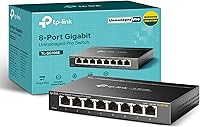 Best for Smart HomesTP-Link TL-SG108E 8 Port Gigabit Easy Smart Managed SwitchSeparating smart home gadgets, guests and work devices | 8 | 1 Gbps | Smart managed | 3 years | 9.0 | Check Price |
 Best for Cameras (PoE)NETGEAR GS308EP 8 Port PoE+ Gigabit Easy Smart Managed SwitchHome security cameras, access points and doorbells | 8 (all PoE+) | 1 Gbps | Smart managed, PoE+ | 5 years | 8.9 | Check Price |
 Best Multi-GigTP-Link TL-SG108S-M2 8 Port 2.5G Multi-Gigabit Unmanaged SwitchMulti-gig internet, 2.5G PCs, NAS and Wi-Fi 7 routers | 8 | 2.5 Gbps | Unmanaged | 3 years | 8.8 | Check Price |
Our Top Picks Reviewed
Here is a closer look at all 5 of our picks for the best gigabit switches for home network: what each one does well, where it falls short and who it suits best, based on the specs and real buyer feedback.

TP-Link TL-SG108 8 Port Gigabit Unmanaged Ethernet Switch
- Ports
- 8
- Speed
- 1 Gbps
- Type
- Unmanaged
- PoE
- None
- Cooling
- Fanless steel
- Warranty
- 3 years
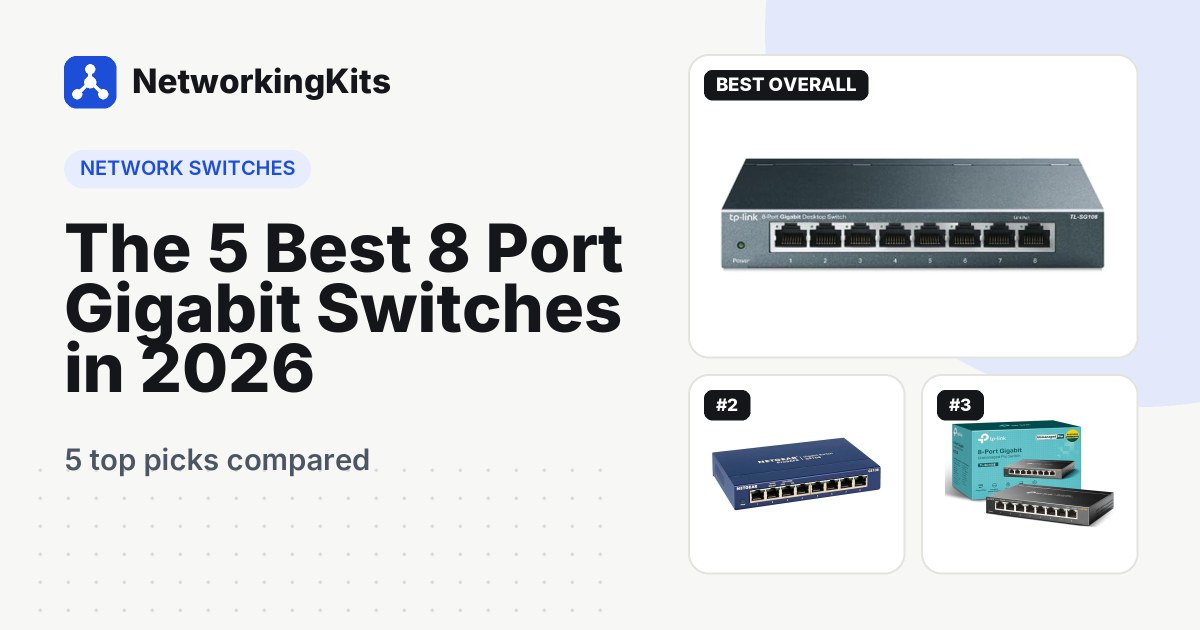
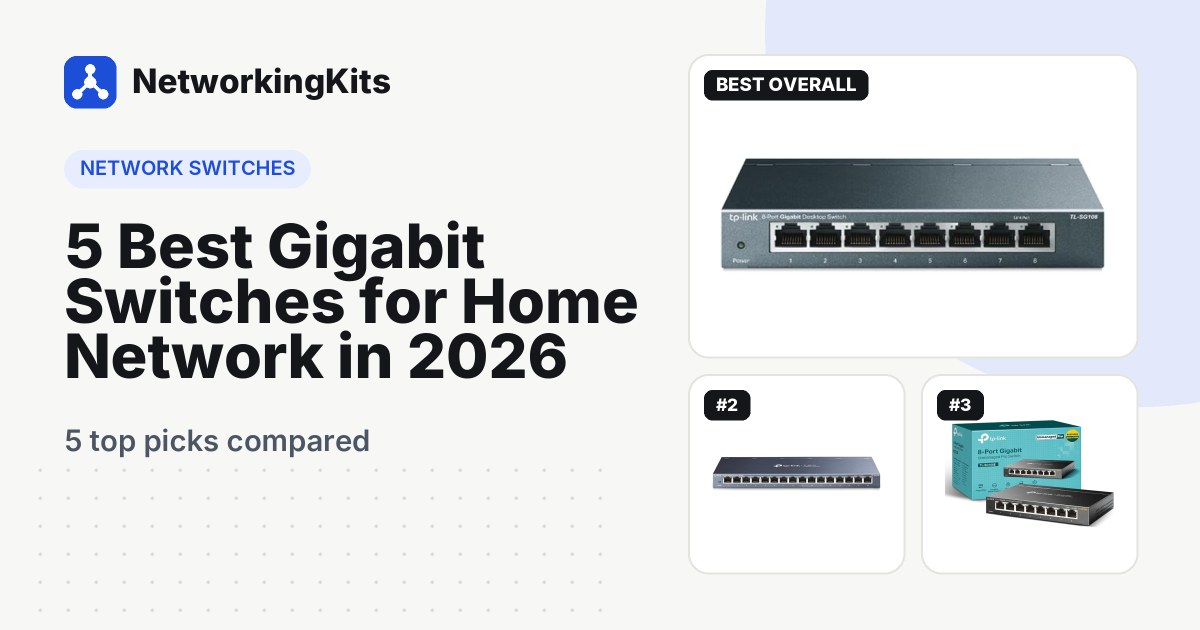
If you want the safe, sensible answer for a normal home, this is it. The TP-Link TL-SG108 is the switch most households should get, because it does exactly what a home network needs and nothing that gets in the way.
You get eight gigabit ports in a small steel case. One goes to your router, which leaves seven for the TV, console, desktop, NAS or a mesh node. Every port sets its own speed and cable type automatically, so there is no crossover cable to worry about and nothing to configure. It has no fan, so it is completely silent on a TV stand or a home office shelf.

It also carries a few extras you would not expect from a plain switch. 802.1p and DSCP QoS give voice and video traffic a little priority, IGMP snooping keeps IPTV streams from flooding every port, and flow control keeps big file copies smooth. Idle ports power down by themselves, which is nice for a box that runs all year.
Owners keep coming back to the same points. It is easy to set up, it runs for years without attention, and it fixes patchy wired connections right away. It works just as well on a small office desk as it does in a living room.
The trade-offs are simple. There are no VLANs and no PoE, so pick the TL-SG108E or the GS308EP below if you need those. TP-Link covers steel-case switches like this one for 3 years. Only need four extra ports? Our guide to the best 5-port switches covers the smaller version.
What we like
- True plug and play
- Silent fanless steel case
- QoS and IGMP snooping built in
- Wall-mountable
Good to know
- No VLANs, so pick the TL-SG108E for those
- No PoE, the GS308EP covers cameras
- 3-year cover, check the GS308EP for 5 years

TP-Link TL-SG116 16 Port Gigabit Unmanaged Ethernet Switch
- Ports
- 16
- Speed
- 1 Gbps
- Type
- Unmanaged
- PoE
- None
- Cooling
- Fanless steel
- Warranty
- 3 years
Some houses are wired from top to bottom: an office upstairs, a TV in every room, a NAS in the closet and an access point on each floor. Eight ports will not cover that. The TP-Link TL-SG116 will, and it does it just as quietly as its smaller sibling.
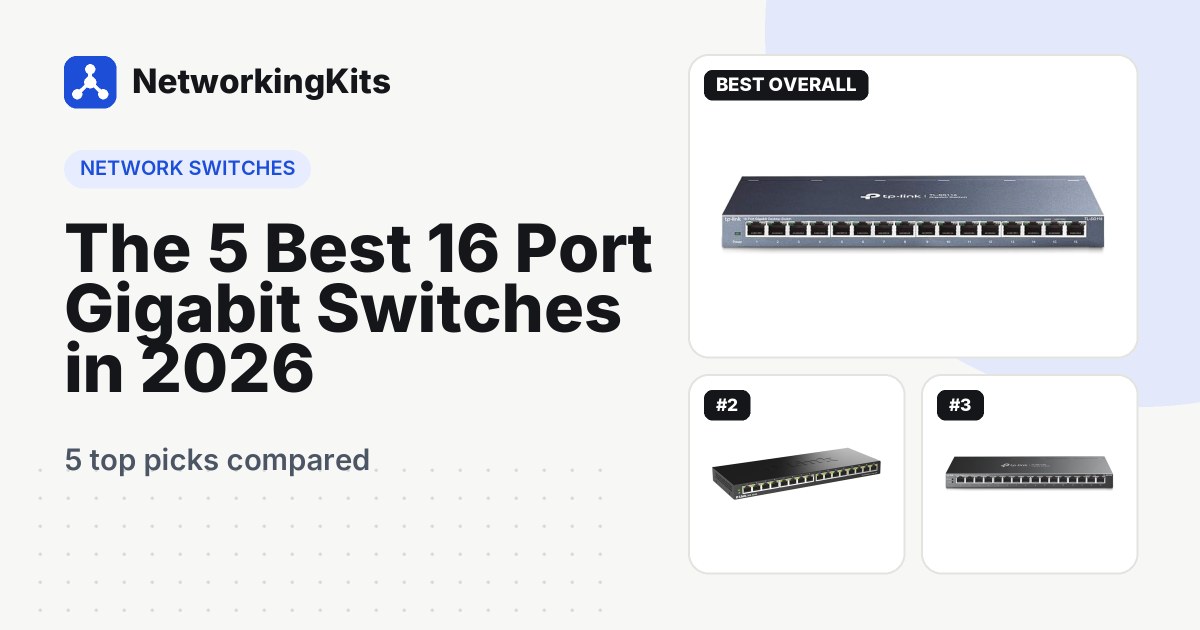
Sixteen gigabit ports sit on the front of a steel case with no fan. Connect one to the router and the other fifteen are ready to go. Like the TL-SG108, it handles QoS, IGMP snooping and flow control on its own, and it can sit on a shelf or mount on a wall. TP-Link rates it for rooms up to 104°F, which helps in a warm utility closet.

This is also the switch to choose if you just finished running cable to several rooms. All those runs usually end at one spot, often a closet or a basement wall, and sixteen ports leave room for the next few you add. Small offices with a handful of desks, a printer and a phone system use it the same way.
Owners describe it as true plug and play, with full gigabit speed and a solid feel, and many call it great value for a busy home network.
A couple of things to keep in mind. It is a desktop case, so if you have a network rack you will want a rack shelf for it. It has no VLANs or PoE either. The 3-year warranty matches the TL-SG108. For more options at this size, see our roundup of 16-port gigabit switches.
What we like
- Sixteen full-speed ports
- Zero setup
- Silent steel case
- Rated for warm closets up to 104°F
Good to know
- Desktop case, so use a shelf in a rack
- No VLANs or PoE
- Overkill if you only have a few wired devices

TP-Link TL-SG108E 8 Port Gigabit Easy Smart Managed Switch
- Ports
- 8
- Speed
- 1 Gbps
- Type
- Smart managed
- PoE
- None
- Cooling
- Fanless metal
- Warranty
- 3 years
Smart plugs, doorbells, robot vacuums, cameras, a smart TV that phones home: the modern house is full of gadgets you probably should not trust with access to your laptop. The TP-Link TL-SG108E lets you keep them apart, and it costs only a little more than a plain switch.
Out of the box it acts like any unmanaged switch. Open its web page and you can create up to 32 VLANs, which split one physical network into separate ones. Put smart home gear on one, work devices on another and guests on a third. Our step-by-step guide on setting up a VLAN at home shows exactly how.

The rest of the toolbox is surprisingly generous. You get QoS, IGMP snooping, rate limiting, port mirroring, loop prevention and a cable test that tells you if a run is damaged. Static link aggregation lets you join two ports for a NAS. The fanless metal case is the same size as the TL-SG108, so it fits the same spots.
Owners call it an easy first step into managed networking, and it suits a home office that should stay apart from family traffic. If you are not sure you need these features, our explainer on managed vs unmanaged switches lays out the difference in plain words.
Before you dive in, know that VLANs take a little practice, so change one setting at a time and write down the switch's IP address before you start. The desktop utility is Windows only, but the web page works in any browser. The warranty runs 3 years.
What we like
- Up to 32 VLANs
- Cable test and loop prevention
- Works as plug and play on day one
- Same small size as the TL-SG108
Good to know
- VLANs take practice, so change one setting at a time
- Desktop utility is Windows only, the web page works anywhere
- No PoE, see the GS308EP

NETGEAR GS308EP 8 Port PoE+ Gigabit Easy Smart Managed Switch
- Ports
- 8 (all PoE+)
- Speed
- 1 Gbps
- Type
- Smart managed, PoE+
- PoE
- 62W shared, 30W per port
- Cooling
- Fanless metal
- Warranty
- 5 years
Power outlets are never where you want a camera. That is why Power over Ethernet is so handy: one cable carries both data and power, so a porch camera, a ceiling access point or a video doorbell needs nothing else. The NETGEAR GS308EP brings that to a home network in a small, silent box.
All eight gigabit ports support PoE+ at up to 30 watts each, from a shared 62-watt budget. That covers a few cameras plus an access point with room to spare. Our guide to how PoE works shows how to add up your devices before you buy.

It is also a smart switch. From a browser you can see what each port is drawing, set limits and priorities, and turn PoE off and back on for one device. That last trick restarts a frozen camera without a ladder. You also get up to 64 VLANs, QoS, IGMP snooping and a cable test. The metal case is fanless and mounts on a wall.
Owners praise the build quality and how quickly it runs a set of cameras or access points. It is a natural fit for a home security setup, and it works just as well in a small shop or office with a few IP phones.
The one catch is the power budget. 62 watts is shared, so it will not run eight power-hungry devices at once. Total your devices first and keep a little headroom. NETGEAR covers the switch for 5 years, the longest warranty here, and the power adapter for 2.
What we like
- PoE+ on all eight ports
- Per-port power control and restart
- Smart features with 64 VLANs
- 5-year warranty
Good to know
- 62W is shared, so total your devices first
- Costs more than a plain switch
- Power adapter is covered for 2 years

TP-Link TL-SG108S-M2 8 Port 2.5G Multi-Gigabit Unmanaged Switch
- Ports
- 8
- Speed
- 2.5 Gbps
- Type
- Unmanaged
- PoE
- None
- Cooling
- Fanless metal
- Warranty
- 3 years
Internet plans faster than 1 Gbps are now common, and many new PCs, NAS boxes and Wi-Fi 7 routers have 2.5G ports. If that sounds like your home, a regular gigabit switch becomes the bottleneck. The TP-Link TL-SG108S-M2 removes it without adding any complexity.
All eight ports run at up to 2.5 Gbps, and each one also drops to 1 Gbps or 100 Mbps for older gear. That means your new 2.5G desktop and your old smart TV can share the same switch. Total switching capacity is 40 Gbps, enough for every port to run flat out at once.

Like the TL-SG108, it is unmanaged, fanless and made of metal. It adds loop prevention, which spots an accidental cable loop and blocks it so the whole network does not crash. QoS, IGMP snooping and 12 KB jumbo frames are built in. A small external 12-volt adapter powers it, and it draws about 9 watts at most.
It is the pick for home labs, creators who move large video files, and anyone with multi-gig internet or a Wi-Fi 7 router with a 2.5G port. Owners mostly mention how simple it is: plug in a 2.5G device and it just runs at the faster speed.
Check one thing first: your devices need 2.5G ports to benefit, so check before you pay extra. Cat5e cable handles 2.5 Gbps at normal home lengths, as our Cat5e vs Cat6 guide explains. TP-Link's warranty is 3 years.
What we like
- 2.5 Gbps on every port
- Works with older 1G and 100M devices
- Loop prevention built in
- Silent metal case
Good to know
- Your devices need 2.5G ports to benefit
- Costs more than a gigabit switch
- External power adapter, so plan an outlet
What we ruled out
Not everything that shows up in a search made our list. Here is what we left out and why, so you know what to avoid when you shop.
- Plastic-case budget switches. Metal cases shed heat better in closets and behind TVs, and TP-Link backs its steel-case switches for 3 years versus 2 for plastic models.
- Switches with 10/100 ports. A few cheap listings still use Fast Ethernet ports, which cap each device at 100 Mbps. Every pick here runs at least 1 Gbps on every port.
- Ethernet splitters and unbranded hubs. A passive splitter cannot add ports at gigabit speed, and no-name hubs often skip a clear US warranty.
- 10G switches. They cost far more, often need fans, and very few home devices can use 10 Gbps yet. A 2.5G switch covers multi-gig homes today.
Buying guide: how to choose a gigabit switch for your home network
Every pick on this list will make your wired devices faster and more reliable. The right one depends on three things: how many ports you need, whether you want any smart features, and whether something on your network needs power or extra speed.
Where a switch fits in a home network
A switch connects to one port on your router and turns it into many. Devices on the switch talk to each other at full speed, and they share the single link back to the router for internet traffic. With a typical internet plan, that shared link is never the bottleneck.
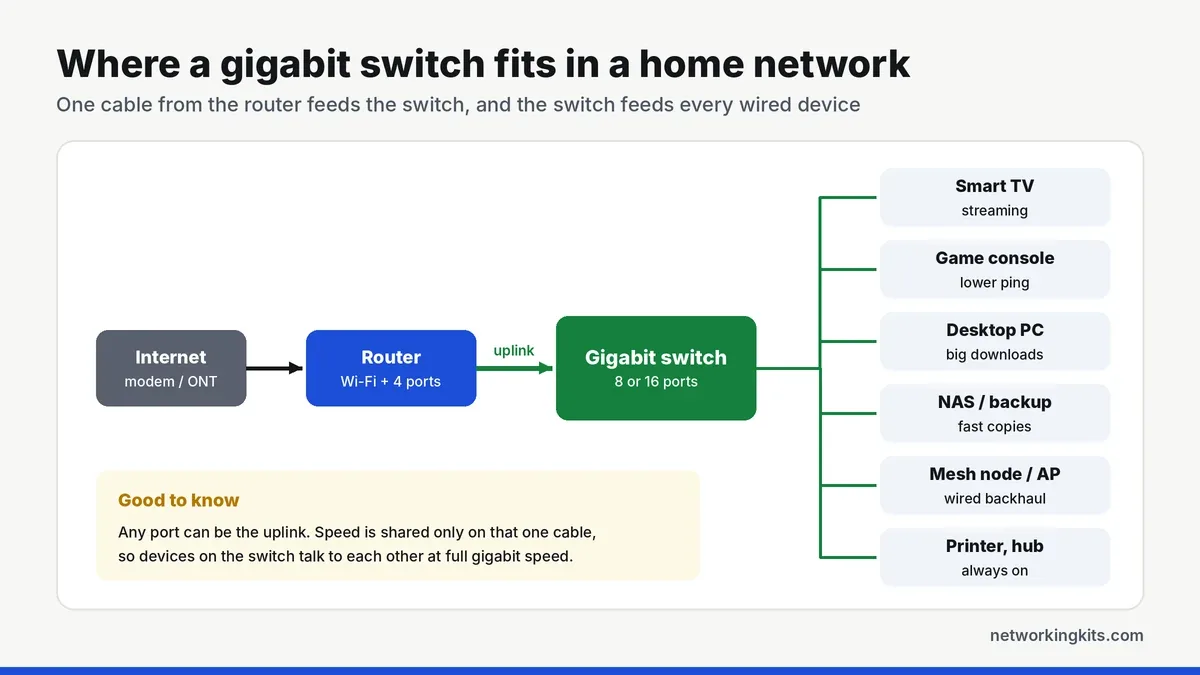
Not sure you need one at all? Our quick guide on whether you need a network switch walks through the signs. Once it arrives, setting up the switch takes about two minutes.
How many ports do you need?
Count your wired devices today, add about half again for growth, then add one port for the router. Round up to the next size. Most apartments are happy with 5 ports, most homes with 8, and homes wired room to room with 16.
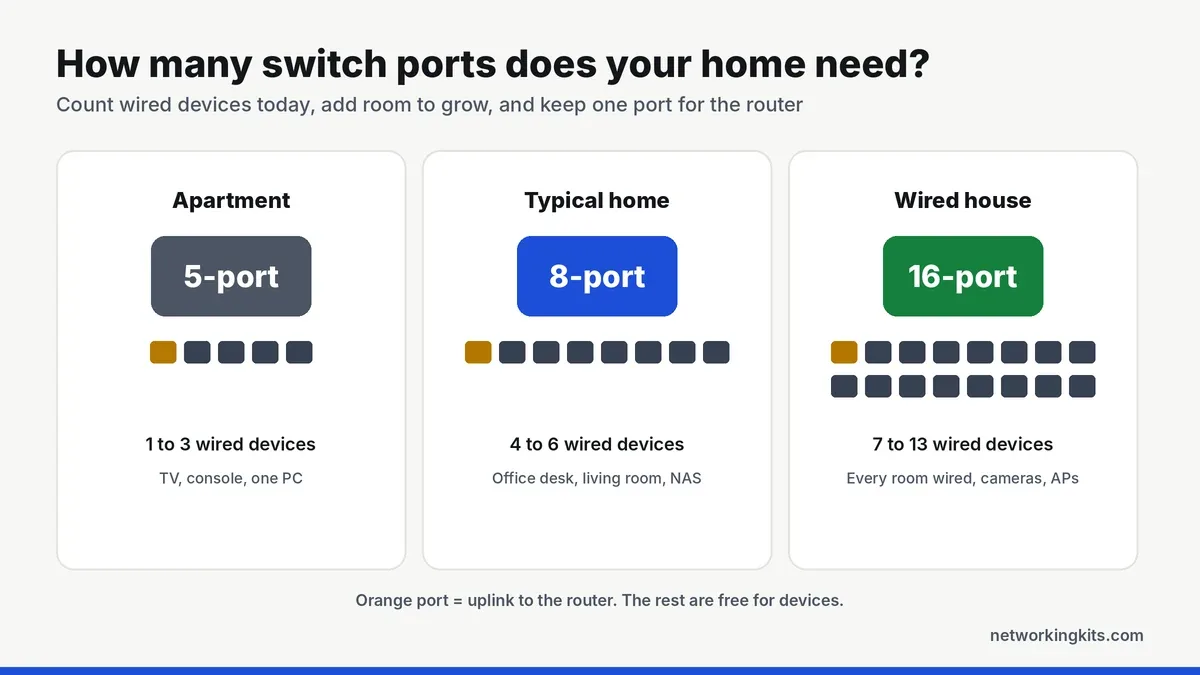
Our guide on how many switch ports you need has a short worksheet if you want to be exact. Bigger is rarely wasted, and the price gap between 8 and 16 ports is small.
Unmanaged or smart managed?
For most homes, the best unmanaged switch is all you will ever need. It has no settings, no app and nothing to update. A smart managed switch like the TL-SG108E adds VLANs, port monitoring and traffic rules. Choose one if you want to separate smart home gadgets, run a home lab or keep a home office apart from family devices.
Do you need PoE or 2.5G?
Only if something on your network asks for it. PoE matters when you install IP cameras, ceiling access points or video doorbells that should run on one cable. 2.5G matters when your internet plan, NAS, PC or router already has 2.5G ports. If neither applies, a regular gigabit switch is the smarter buy.
Home office and small business use
The same switches work well beyond the living room. In a home office, an unmanaged switch under the desk gives your work laptop, dock and printer a steady wired link for video calls. If you work for a company that cares about security, the TL-SG108E can put your work gear on its own VLAN. A small shop or office with a few desks, a printer and IP phones fits comfortably on the TL-SG116, or on the GS308EP if the phones need PoE. For larger teams, our roundup of 24-port switches is the better place to look.
Mistakes to avoid
A few small details make a big difference to how a home network behaves.
- Connecting the switch to Wi-Fi gear wirelessly. A switch needs a cable back to the router or a wired mesh node. Read our Wi-Fi extender vs mesh guide if the switch sits far from the router.
- Creating a loop. Never connect two cables between the same two switches unless you have set up link aggregation.
- Using old, thin cables. Cat5e or Cat6 pure copper patch cables are cheap and remove a common source of slow speeds.
Final verdict
For most households, the TP-Link TL-SG108 is the best gigabit switch for a home network. It is silent, built from steel and ready the moment you plug it in, with seven free ports for your TV, console, PC and anything else that deserves a cable. Owners run it for years without touching it, and it fits a living room shelf as easily as a home office desk. If your goal is simply faster, steadier wired connections, this is the one to buy.
Wiring several rooms back to one spot? The TP-Link TL-SG116 gives you sixteen ports with the same zero-setup design. If you are adding cameras or ceiling access points, the NETGEAR GS308EP powers them over the same cable and has a 5-year warranty. Whichever you choose, link it to the router with a short Cat5e or Cat6 cable. Then leave a couple of ports free for the gadgets you will add next year.
Frequently Asked Questions
What is the best gigabit switch for a home network?
For most homes, the TP-Link TL-SG108 is the best choice. It has eight gigabit ports, a silent steel case, no setup at all and a 3-year warranty. Larger wired homes should look at the 16-port TP-Link TL-SG116.
Is an unmanaged switch good enough for home use?
Yes. An unmanaged switch is the best fit for most homes because it needs no setup and simply adds ports. Choose a smart managed switch only if you want VLANs, for example to keep smart home gadgets or a home office separate.
Does a network switch slow down internet speed?
No. A gigabit switch adds no noticeable delay, and devices on it share the link to your router at full gigabit speed. With most internet plans, every device still gets the full speed your plan allows.
Where should I put a network switch at home?
Put it where your wired devices are, such as behind the TV or under a home office desk, and run one cable back to the router or a wired mesh node. Keep it somewhere with a little airflow, since fanless switches cool through their metal case.
Do I need a 2.5G switch for my home network?
Only if your internet plan is faster than 1 Gbps or your PC, NAS or router already has 2.5G ports. Otherwise a regular gigabit switch gives you the same real-world speed for less money.
Tell us a little about your home or office network and we will point you in the right direction. We read every message.

We are network installers and home lab builders who have spent over a decade crimping, punching down and testing cable. Every guide is built from spec sheets, verified buyer feedback and real-world install experience.
How we research and score products →