On this page 7 sections
There is one room where the Wi-Fi gives up. Maybe it is the bedroom at the end of the hall, the garage office or the upstairs den where the console lives. You have two popular fixes: a WiFi extender for a few dollars, or a mesh system for a few hundred.
Both add coverage, but they work very differently, and the cheaper fix is not always the worse one. Here is how extenders and mesh systems work, where each one shines and how to choose for your home.
How a WiFi extender works
A range extender, sometimes called a repeater, sits between your router and the weak area. It connects to your router wirelessly, then rebroadcasts that signal to devices nearby. It is cheap, works with almost any router and takes a few minutes to set up.
The trade-off is speed. A basic extender uses the same radio to talk to the router and to your devices, so it can only do one at a time, which roughly halves the available bandwidth in the extended area. Many extenders also create a second network name, so your phone may cling to the weaker signal as you move around the house.
Better extenders reduce these problems. Tri-band models use one band just for talking to the router, and systems like TP-Link OneMesh or Wi-Fi Alliance EasyMesh let a compatible extender share the router's network name and hand devices over more smoothly.
How a mesh system works
A mesh system replaces your router's Wi-Fi with a set of nodes designed to work together. One node connects to your modem, and the others spread around the house. They share one network name, and the system decides which node each device should use, steering phones and laptops as you walk around.
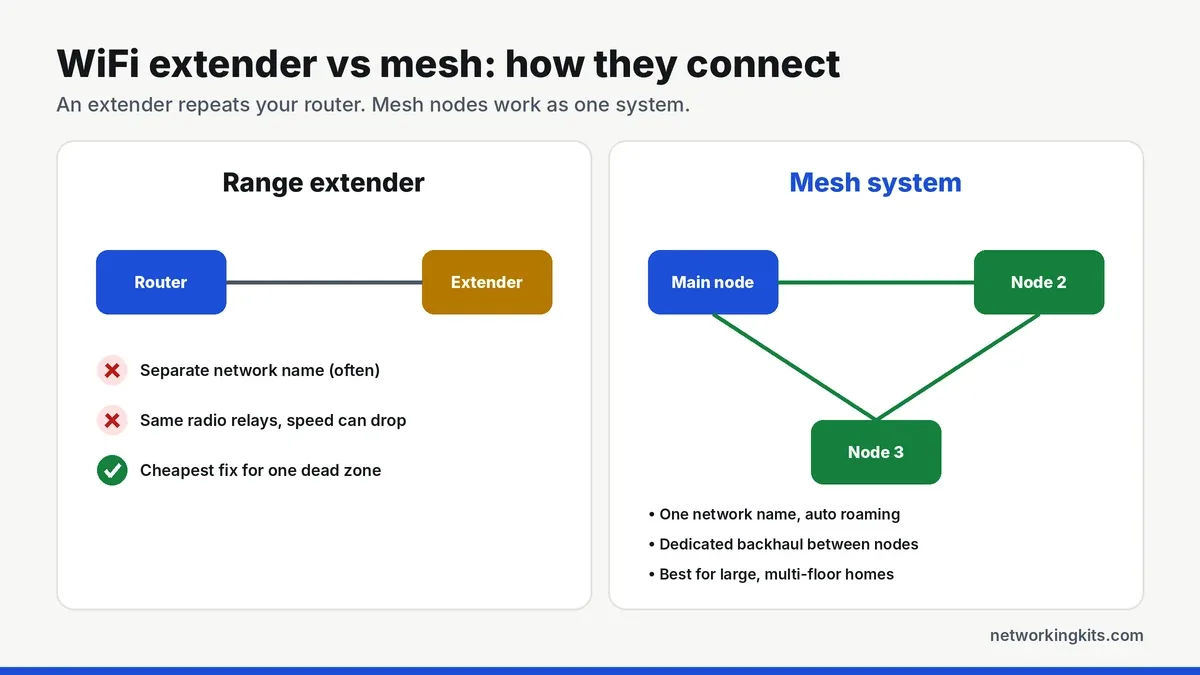
Good mesh systems use a dedicated backhaul, an extra radio band or an Ethernet cable reserved for traffic between nodes. That keeps speeds high even two or three hops from the main unit. Ethernet backhaul is the gold standard, so if you can run a cable between nodes, do it.
Speed and lag: which is better for gaming?
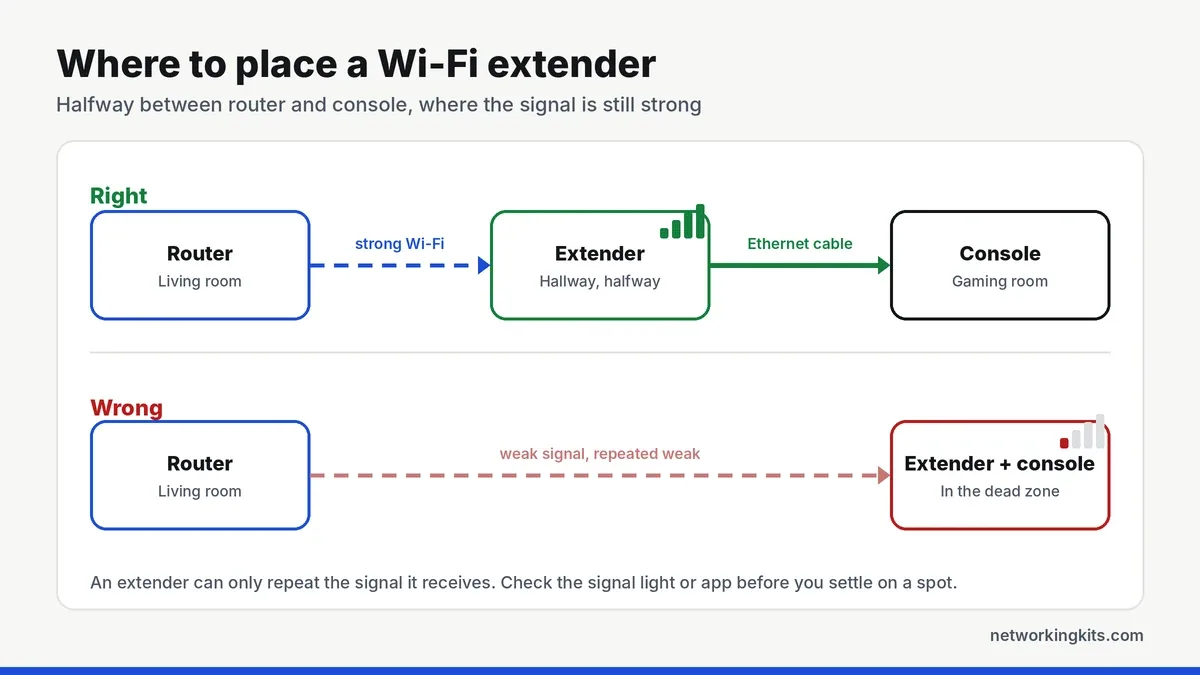
For gaming, the best wireless option is still a wired connection at the far end. Most modern extenders and many mesh nodes have an Ethernet port, so you can plug a console or PC straight into it. That removes the last wireless hop between your device and the extender, which is where most of the lag spikes come from. Our ping reduction guide covers the other fixes worth trying.
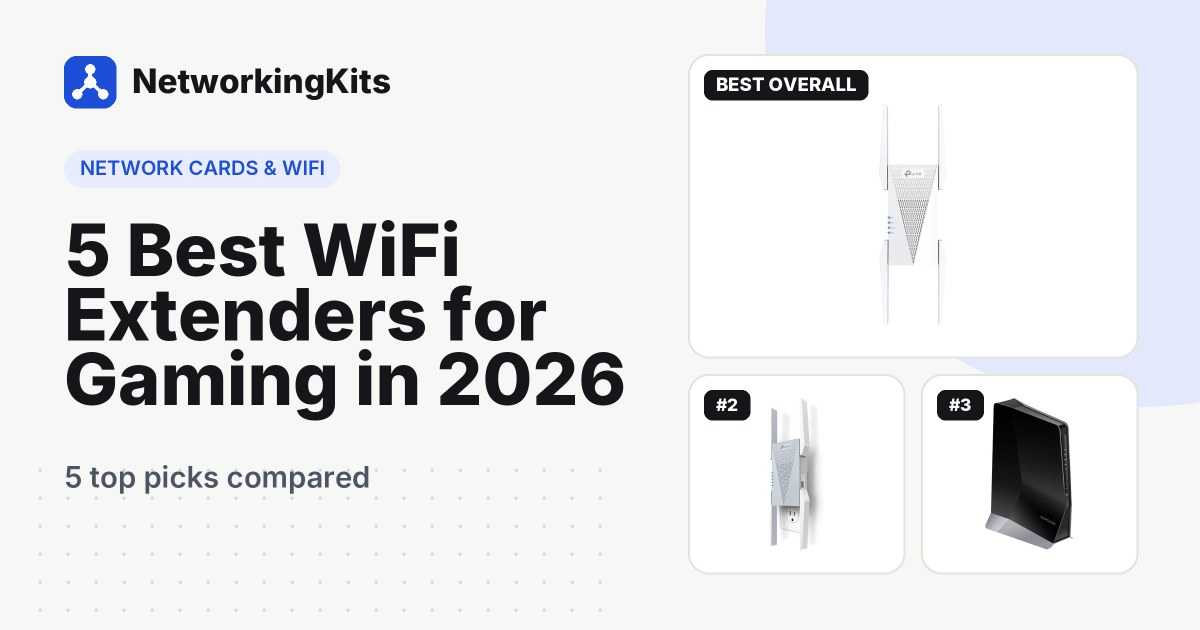
A well-placed tri-band extender with an Ethernet port can deliver surprisingly low, steady ping for one room. Our roundup of WiFi extenders for gaming compares the models that do it best. For whole-home coverage with many devices, mesh will generally feel more consistent.
Cost
Extenders typically cost from around $30 to $150, depending on Wi-Fi generation and bands. Mesh systems usually run from about $150 to $500 for a two or three pack, with Wi-Fi 7 systems costing more. If you only have one dead zone, an extender is the far better value.
Where to place an extender or mesh node
Placement matters more than the hardware. Put an extender roughly halfway between the router and the dead zone, where it still gets a strong signal from the router. Placing it inside the dead zone means it has a weak signal to repeat. Mesh nodes follow the same rule: each one should have a good connection to the previous node.
Avoid placing either one behind a TV, inside a cabinet, near a microwave or on the floor. Walls made of brick, concrete and metal, and even large fish tanks and mirrors, block Wi-Fi much more than drywall.
Which should you buy?
Quick verdict: an extender is the cheap fix for one weak room, a mesh system is better for large or multi-story homes, and a wired access point beats both if you can run a cable.
Choose an extender if you have one or two weak rooms, a small or medium home, a limited budget, or you want an Ethernet port for a console in a specific room.
Choose a mesh system if you have a large or multi-story home, lots of devices, a fast internet plan above a few hundred megabits, or you are tired of switching between network names.
And if you can run a single Ethernet cable to the far room, a small switch or access point there beats both. Our switch vs router comparison explains how to add wired ports anywhere.
Before buying anything, run a speed test next to the router and in the weak room. If both are slow, the problem is your internet plan or router, not coverage, and an extender will not help.
Frequently Asked Questions
Is mesh better than a WiFi extender?
For whole-home coverage, yes. Mesh nodes share one network name and use a dedicated backhaul, so they keep speeds higher across many rooms. For a single dead zone, a good extender is often the better value.
Does a WiFi extender slow down internet speed?
It can. A basic single-band extender roughly halves the bandwidth in the extended area because it uses one radio for both sides. Dual and tri-band extenders reduce the slowdown, and wiring your device to the extender's Ethernet port helps most.
Can I use an extender with a mesh system?
Sometimes. Some brands let a compatible extender join their mesh, such as TP-Link OneMesh or EasyMesh. Mixing brands usually works only as a regular extender with its own network.
Is an extender or mesh better for gaming?
Either can work if you plug your console or PC into the unit's Ethernet port. That removes the wireless hop to your device and gives the lowest, most stable ping.

We are network installers and home lab builders who have spent over a decade crimping, punching down and testing cable. Every guide is built from spec sheets, verified buyer feedback and real-world install experience.
How we research and score products →