On this page 11 sections
- What we looked for in an 8-port switch
- Comparison table
- Our Top Picks Reviewed
- 1. TP-Link TL-SG108 8 Port Gigabit Unmanaged Ethernet Switch
- 2. NETGEAR GS108 8-Port Gigabit Ethernet Unmanaged Switch
- 3. TP-Link TL-SG108E 8 Port Gigabit Easy Smart Managed Switch
- 4. NETGEAR GS308EP 8 Port PoE+ Gigabit Easy Smart Managed Switch
- 5. D-Link DGS-108 8-Port Gigabit Unmanaged Ethernet Switch
- Buying guide: choosing an 8-port gigabit switch
- Final verdict
- FAQ
An 8-port gigabit switch is the right size when one or two spare ports are not enough. At home that might be a PC, console, smart TV, NAS and printer in one room. In a small office it might be a row of desks, a printer and a phone system all fed from one network cable.
One port connects to your router, and the other seven give each device a fast, stable wired connection. The switch is about the size of a paperback, runs silently and costs only a little more than a 5-port model.
We compared the best-selling 8-port switches on Amazon.com, checked each one against its official spec sheet, and kept only models from brands with long, proven track records. These are our five picks.
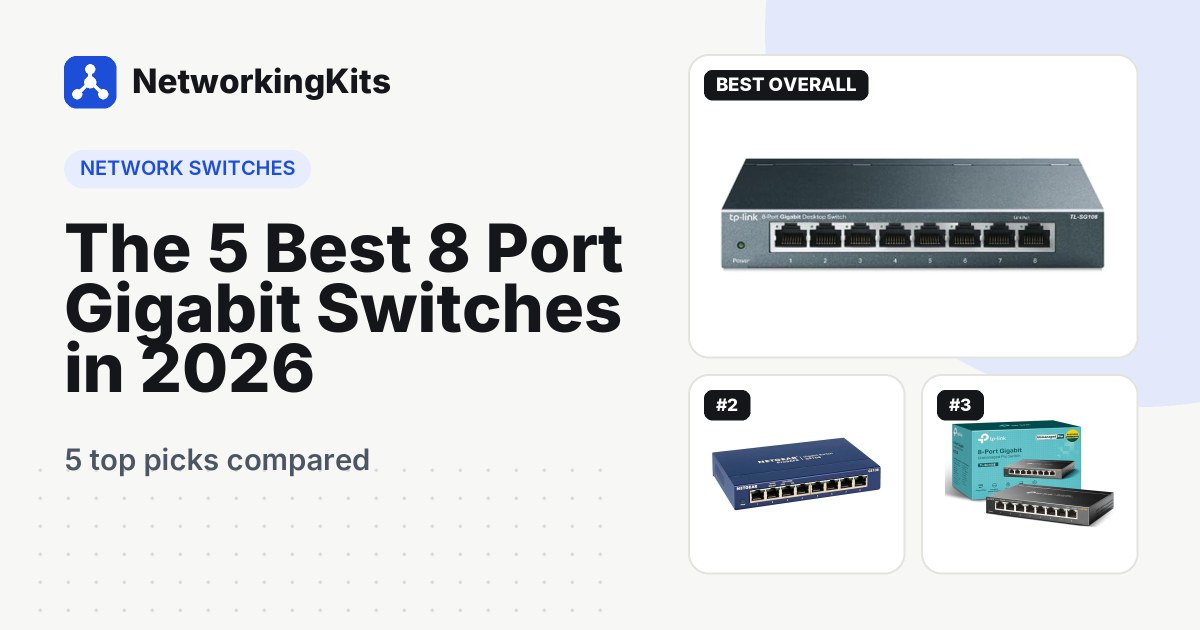
Quick answer: The TP-Link TL-SG108 is the one most people should buy. It is silent, built in steel, completely plug and play and one of the most popular switches on Amazon. Want VLANs and port monitoring? The TP-Link TL-SG108E adds them for a few dollars more. Powering cameras or access points? The NETGEAR GS308EP has PoE+ on all eight ports.
Every one of them comes from TP-Link, NETGEAR or D-Link and has years of owner feedback behind it, so none of them is a gamble.
What we looked for in an 8-port switch
Every pick has exactly eight gigabit ports. From there, we judged them on what matters for a box that runs all day, every day:
- Full speed on every port. Eight gigabit ports working in both directions need 16 Gbps of non-blocking capacity, and all five picks deliver it.
- A clear, long warranty. Coverage on this list runs from 3 years to limited lifetime, and we spell out each one.
- Silent metal cases. Every pick is fanless.
- Long-term owner feedback. We read owner reviews for patterns, especially how units hold up after a few years.
Best 8 Port Gigabit Switches Compared (2026)
| Product | Type | PoE | Case | Warranty | Score | |
|---|---|---|---|---|---|---|
 Best OverallTP-Link TL-SG108 8 Port Gigabit Unmanaged Ethernet SwitchMost homes and small offices that need seven more ports | Unmanaged, plug and play | None | Steel, fanless, wall-mountable | 3 years | 9.3 | Check Price |
 Most CompactNETGEAR GS108 8-Port Gigabit Ethernet Unmanaged SwitchBuyers who want a small, proven switch with lifetime cover | Unmanaged, plug and play | None | Compact metal, fanless, wall-mountable | Limited lifetime | 9.1 | Check Price |
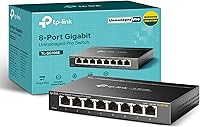 Best ManagedTP-Link TL-SG108E 8 Port Gigabit Easy Smart Managed SwitchHome labs and anyone who wants VLANs | Easy Smart managed | None | Metal, fanless, shielded ports | 3 years | 9.0 | Check Price |
 Best PoENETGEAR GS308EP 8 Port PoE+ Gigabit Easy Smart Managed SwitchPowering cameras, access points and VoIP phones | Easy Smart managed PoE+ | 62W on all 8 ports | Metal, fanless, wall-mountable | 5 years | 8.9 | Check Price |
 Best BuiltD-Link DGS-108 8-Port Gigabit Unmanaged Ethernet SwitchHomes and offices with storms or unstable power | Unmanaged, plug and play | None | All-steel, fanless, wall-mountable | Limited lifetime | 8.8 | Check Price |
Our Top Picks Reviewed
Here is a closer look at all 5 of our picks for the best 8 port gigabit switches: what each one does well, where it falls short and who it suits best, based on the specs and real buyer feedback.

TP-Link TL-SG108 8 Port Gigabit Unmanaged Ethernet Switch
- Ports
- 8 x Gigabit RJ45
- Type
- Unmanaged, plug and play
- Extras
- 802.1p/DSCP QoS, IGMP snooping, flow control
- Case
- Steel, fanless, wall-mountable
- PoE
- None
- Warranty
- 3 years
Sixty seconds. That is how long one owner says it took to get the TP-Link TL-SG108 running, and honestly, that sounds generous. You plug in the power, run one cable to the router, and seven more ports come to life.
Each of the eight gigabit ports negotiates its own speed, so every device connects as fast as it can. The steel case and shielded ports keep it cool without a fan, and it is happy on a desk or screwed to a wall. You also get 802.1p and DSCP QoS, IGMP snooping and 802.3x flow control, which is more than most people expect from a plain switch.

Popularity tells the rest of the story. Over 7,000 sell every month, and buyers say it improved their home network. One connected a TV, cable box and consoles without a hitch. Bad reviews are rare.
Under TP-Link's current US policy it carries a 3-year warranty, with free tech support. It has no VLANs, port statistics or PoE. If you need any of those, the TL-SG108E and GS308EP below are the natural next step.
What we like
- Fully plug and play
- Very few poor reviews
- Silent steel case
- QoS and IGMP snooping built in
Good to know
- No VLANs (the TL-SG108E adds them)
- No PoE (see the GS308EP)
- 3-year cover, so pick the GS108 for lifetime

NETGEAR GS108 8-Port Gigabit Ethernet Unmanaged Switch
- Ports
- 8 x Gigabit RJ45
- Type
- Unmanaged, plug and play
- Extras
- 802.1p QoS, 802.3az energy saving
- Case
- Compact metal, fanless, wall-mountable
- PoE
- None
- Warranty
- Limited lifetime
Ask a network installer which tiny switch they trust, and plenty will name the NETGEAR GS108. It has been around for years, and some owners have run the same unit for about a decade.
It is a simple unmanaged switch with eight gigabit ports in a compact metal case. It is fanless and silent, and it mounts on a desk or a wall. 802.1p QoS is built in, and 802.3az Energy Efficient Ethernet trims power when connected devices are idle.

The warranty is the headline. NETGEAR gives the GS108 a limited lifetime hardware warranty, which beats the 3 years TP-Link offers on the TL-SG108. Free technical support only runs for 90 days, though, so save the receipt.
Owner feedback is excellent. Buyers call it high quality and easy to set up, and one measured more than 110 MB/s through it, which is about as fast as gigabit gets. Others confirm all eight ports work exactly as promised.
The only recurring gripe is the power adapter. A handful of buyers received the wrong one in the box, so check it when you unpack and contact the seller if it does not match. It is sold for use in the US and Canada, and like the TL-SG108, it has no management or PoE.
What we like
- Limited lifetime hardware warranty
- Full gigabit speed in real transfers
- Compact, fanless metal case
- Owners report a decade of use
Good to know
- Check the power adapter when you unpack
- Free tech support lasts 90 days
- No management or PoE

TP-Link TL-SG108E 8 Port Gigabit Easy Smart Managed Switch
- Ports
- 8 x Gigabit RJ45
- Type
- Easy Smart managed
- Extras
- 32 VLANs, QoS, static LAG, port mirroring, cable test
- Case
- Metal, fanless, shielded ports
- PoE
- None
- Warranty
- 3 years
What if your switch could tell you which cable is broken? The TP-Link TL-SG108E can, and that is only one of the tricks it adds to a standard 8-port switch.
It is TP-Link's Easy Smart model, so on day one it behaves like any plug-and-play switch. Open the web page or the free Windows utility, and much more appears. You can run up to 32 VLANs to put smart home gadgets, office guests, a home lab or staff devices on their own network. Our walkthrough on setting up a VLAN shows the steps.

The rest of the toolkit is generous for the price. You get port, 802.1p and DSCP QoS, IGMP snooping, rate limiting and static link aggregation. Port mirroring, loop prevention and that handy cable test round it out. The metal case is fanless and the same size as the TL-SG108.
Owners clearly like what they get, and over 2,000 sell every month. Buyers call it a fantastic entry-level smart switch that is easy to set up and loses nothing on upload or download speed.
The usual complaint is the learning curve, since some buyers find VLANs confusing. A few also report dropped connections, which often trace back to a setting. Change one thing at a time, and note the switch's IP address before you start. The warranty runs 3 years. If you are starting a home lab, start here.
What we like
- Up to 32 VLANs
- Cable test, mirroring and loop prevention
- Static link aggregation
- Plug and play until you need more
Good to know
- VLANs take practice, so change one setting at a time
- Desktop utility is Windows-only (the web page works anywhere)
- No PoE (see the GS308EP)

NETGEAR GS308EP 8 Port PoE+ Gigabit Easy Smart Managed Switch
- Ports
- 8 x Gigabit RJ45 (all PoE+)
- Type
- Easy Smart managed PoE+
- Extras
- 62W budget, 30W per port, 64 VLANs, per-port PoE control
- Case
- Metal, fanless, wall-mountable
- PoE
- 62W on all 8 ports
- Warranty
- 5 years
Say you have two cameras on the porch, one in the garage and a Wi-Fi access point in the hallway ceiling. The NETGEAR GS308EP can power all of them from one small box, with no adapters at the far end.
All eight ports support PoE+ at up to 30 watts each, sharing a 62-watt total budget. You can set power limits and priorities per port, and turn PoE off and on for a single device. That last trick is handy when a camera freezes and you would rather not climb a ladder.

It is also a smart switch with a browser-based dashboard. You get up to 64 VLANs, 802.1p and DSCP QoS, IGMP snooping, rate limiting, loop detection and a cable test. The metal case is fanless, silent and wall-mountable, and 802.3az trims power on idle ports.
Owners are very happy with it. Buyers praise the solid build and easy setup, and one powers three NETGEAR access points flawlessly. Another measured 940 Mbit/s between clients, which is full gigabit speed.
Plan your power budget first. 62 watts runs several cameras plus an access point, but not eight power-hungry devices at once. Our PoE budget explainer makes the math easy. NETGEAR covers the switch for 5 years and its external power adapter for 2.
What we like
- PoE+ on all eight ports
- Smart features with 64 VLANs
- Per-port PoE limits and on/off control
- 5-year warranty
Good to know
- 62W is shared, so total your devices first
- No PoE scheduling
- Costs more than unmanaged switches

D-Link DGS-108 8-Port Gigabit Unmanaged Ethernet Switch
- Ports
- 8 x Gigabit RJ45
- Type
- Unmanaged, plug and play
- Extras
- 802.1p QoS, IGMP snooping, 4 kV surge protection
- Case
- All-steel, fanless, wall-mountable
- PoE
- None
- Warranty
- Limited lifetime
Power blips are hard on small electronics. The D-Link DGS-108 is built to shrug them off, with surge and ESD protection rated to plus or minus 4 kV inside an all-steel case.
The rest of the spec sheet is solid too. Eight gigabit ports share a 16 Gbps non-blocking engine, so all of them can run at full speed at once. 802.1p QoS keeps voice and gaming traffic smooth, IGMP snooping helps with IPTV, and 9 KB jumbo frames speed up big transfers. D-Link says its power saving can cut energy use on idle ports by up to 80%.

Then there is the coverage. D-Link gives it a limited lifetime warranty once you register it, plus US-based support. Register it on day one, because that step is what unlocks the lifetime term.
On Amazon, the DGS-108 shares a listing and its owner feedback with the 5-port DGS-105. Owners say it works with no setup, feels solid and has clear link and activity lights on every port. And if it ever gives out, the lifetime warranty is there for you.
So why fifth? Only because the TL-SG108 and GS108 have stronger feedback of their own. If you live with frequent storms or unstable power, it deserves a serious look.
What we like
- Built-in surge and ESD protection
- Limited lifetime warranty
- 16 Gbps non-blocking, 9 KB jumbo frames
- Two status LEDs per port
Good to know
- Register it to activate lifetime coverage
- No management or PoE
What we ruled out
Not everything that shows up in a search made our list. Here is what we left out and why, so you know what to avoid when you shop.
- 10/100 Fast Ethernet switches. They save a few dollars but cap every port at 100 Mbps. That is a real bottleneck for NAS transfers, game downloads and fast internet plans.
- 2.5G and multi-gig 8-port models. They cost far more and only help when your router, PC and NAS have 2.5G ports too. For most homes, gigabit is still the sweet spot.
- Switches with fans. Every pick here is fanless and silent. An 8-port switch often lives in a bedroom, office or TV cabinet, where fan noise gets old fast.
- No-name brands and unproven models. We skipped sellers without a clear warranty or networking track record, and stuck to switches that owners consistently review well.
Buying guide: choosing an 8-port gigabit switch
Eight ports is the most popular switch size for a reason. It covers a busy entertainment center, a home office or a small team's desks without taking over the shelf. The questions below will steer you to the right model.
Is eight ports the right size?
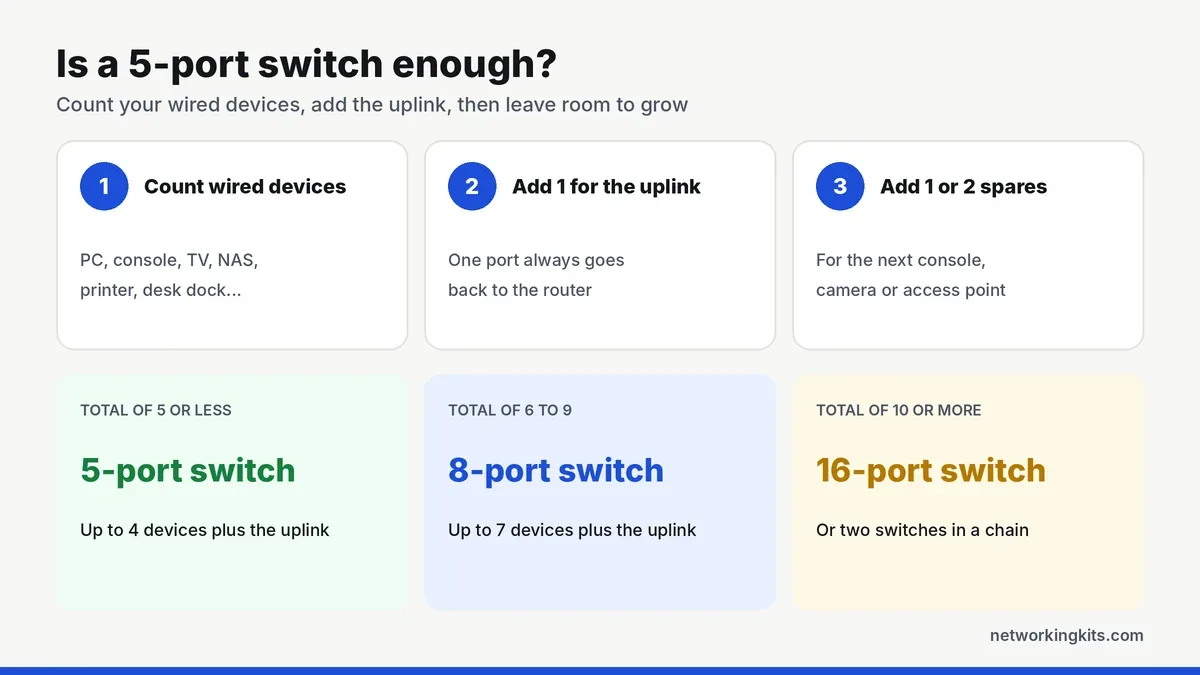
Add up your wired devices, add one for the uplink, then leave a spare or two. Six to nine in total is the 8-port sweet spot. Fewer than that, and our 5-port switch picks save a few dollars and some desk space. More than nine, and our 16-port gigabit switch roundup gives you room to grow.
Unmanaged, smart or PoE?
Most people need an unmanaged switch like the TL-SG108, GS108 or DGS-108, which works the second you plug it in. The TL-SG108E is a smart switch, which adds VLANs, QoS rules, port mirroring and link aggregation. The GS308EP is smart too, and it also powers cameras, access points and phones over the cable.
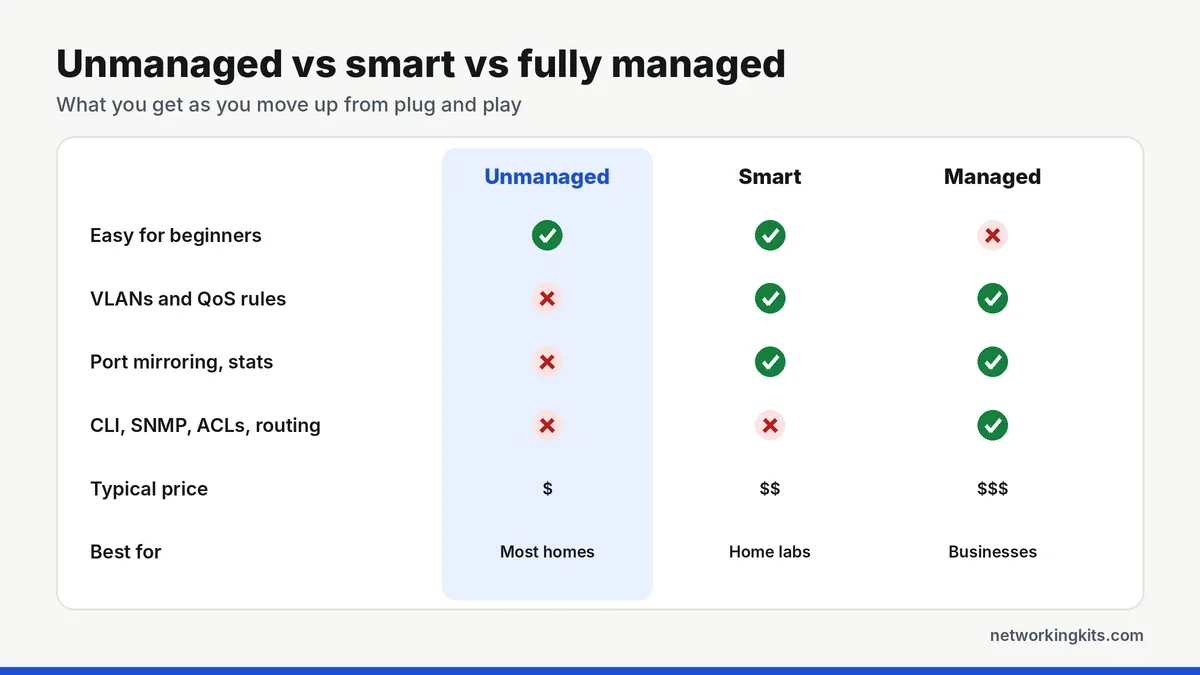
Pay for those extras only if you will use them. Our managed vs unmanaged comparison lists the features that actually matter at home.
Switching capacity in one paragraph
An 8-port gigabit switch needs 16 Gbps of non-blocking capacity to run every port at full speed in both directions at once. Every pick here meets that, but some no-name switches do not, and it shows up as slowdowns when several devices are busy together.
One switch or two?
If your devices sit in two different rooms, two smaller switches joined by a single cable can be tidier than running everything back to one spot. For a single desk or TV stand, one 8-port switch keeps it simple.
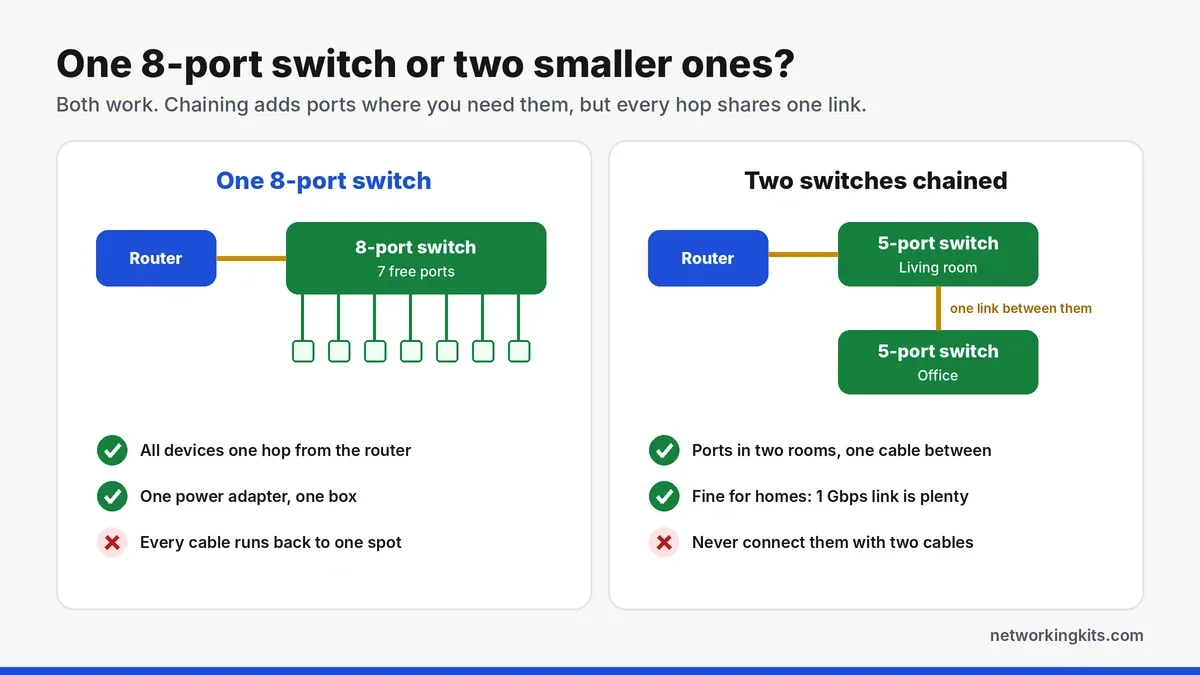
Never connect two switches with more than one cable, and never plug both ends of one cable into the same switch. That creates a network loop, which can bring the whole network down. The TL-SG108E has loop prevention to catch it, and the GS308EP has loop detection.
Planning PoE on eight ports
The GS308EP shares 62 watts across all eight ports, and any single port can take up to 30. A typical indoor camera draws around 4 to 7 watts, while a Wi-Fi 6 access point usually needs 10 to 15. Add up the maximum draw of everything you plan to power. Then keep about 20 percent in reserve, so night-vision LEDs or a busy access point never push the switch past its limit.
Want a faster path to your NAS?
Smart switches can bundle two ports into one wider link. The TL-SG108E supports static link aggregation, which helps when several computers hit a NAS at the same time. It will not make a single file copy faster, though. Our explainer on how link aggregation works shows when it pays off.
Do you need 2.5G instead?
Not yet, for most homes. Consoles, smart TVs, printers and most laptops still have 1 Gbps ports. A 2.5G switch only helps once your router, PC and NAS all support it, or your internet plan tops 1 Gbps. Upgrading the PC first? Our roundup of PCIe network cards includes 2.5G cards.
Small extras worth having
Port LEDs that show link status help you catch a bad cable fast. QoS keeps gaming and video calls smooth, and IGMP snooping stops IPTV streams from flooding every port. Energy Efficient Ethernet (802.3az) trims the power bill on a box that never turns off.
Warranty: the hidden difference
These five switches look similar, but their coverage does not. NETGEAR gives the GS108 a limited lifetime hardware warranty, and D-Link does the same for the DGS-108 once you register it. The GS308EP gets 5 years. TP-Link's current US policy covers its metal-case switches, including the TL-SG108 and TL-SG108E, for 3 years.
Placement and cables
All five picks use metal cases that cool themselves without a fan. Give the switch some air and keep it off a hot router or console. Every model here can also mount on a wall. Our guide to setting up a network switch covers placement step by step.
Finally, use solid copper cable. Any Cat5e or Cat6 patch cord handles a gigabit with ease. Our breakdown of Cat5e and Cat6 cable explains which to buy, and our console Ethernet cable reviews work for any device.
Final verdict
The TP-Link TL-SG108 is our pick for the best 8 port gigabit switch for most homes and small offices. It is tough, completely silent and truly plug and play, so there is nothing to set up and nothing to worry about later. A 3-year warranty and a long track record with owners make it the safe, sensible choice. It sits happily under a TV, on an office shelf or screwed to a wall, and it uses so little power that you can leave it running all year without a second thought.
Want a little more control? The TP-Link TL-SG108E adds VLANs and traffic monitoring for a little more. If you plan to power cameras or access points, the NETGEAR GS308EP gives you eight PoE+ ports and a 5-year warranty. If storms or flickering power are common where you live, the surge-protected D-Link DGS-108 is also worth a look. And if you are already close to filling eight ports, a 16-port model will save you from buying twice.
Frequently Asked Questions
Is an 8-port switch faster than a 5-port switch?
No, just bigger. Both run every port at gigabit speed. An 8-port switch gives you seven free ports instead of four for a little more money, so it is the better buy if you have five or more wired devices.
Will an 8-port gigabit switch slow down my internet?
No. A gigabit switch adds no delay you would notice. All devices share the gigabit link to your router, so you would only hit a limit if several devices download at once on a plan faster than 1 Gbps.
Which 8-port switch has the best warranty?
The NETGEAR GS108 has a limited lifetime hardware warranty, and the D-Link DGS-108 gets limited lifetime coverage after registration. The NETGEAR GS308EP has 5 years, and the TP-Link TL-SG108 and TL-SG108E have 3 years under TP-Link US policy.
Do I need a managed 8-port switch?
Only if you want VLANs, QoS rules, port mirroring or link aggregation. For simply adding wired ports, an unmanaged switch like the TP-Link TL-SG108 is easier and cheaper.
How much power does an 8-port switch use?
Very little. Most unmanaged 8-port switches draw only a few watts, and Energy Efficient Ethernet lowers that when devices are idle. PoE switches use more, depending on what they power.
Tell us a little about your home or office network and we will point you in the right direction. We read every message.

We are network installers and home lab builders who have spent over a decade crimping, punching down and testing cable. Every guide is built from spec sheets, verified buyer feedback and real-world install experience.
How we research and score products →