On this page 11 sections
- Our criteria for 16-port switches
- Comparison table
- Our Top Picks Reviewed
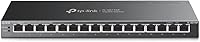
- 1. TP-Link TL-SG116 16 Port Gigabit Unmanaged Ethernet Switch
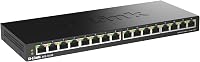
- 2. D-Link DGS-1016S 16-Port Gigabit Unmanaged Slim Switch
- 3. TP-Link TL-SG116P 16 Port Gigabit PoE+ Switch
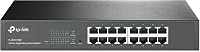
- 4. TP-Link TL-SG1016DE 16 Port Gigabit Easy Smart Managed Switch
- 5. Tenda TEG1016D 16 Port Gigabit Rackmount Switch
- Buying guide: how to pick a 16-port gigabit switch
- Final verdict
- FAQ
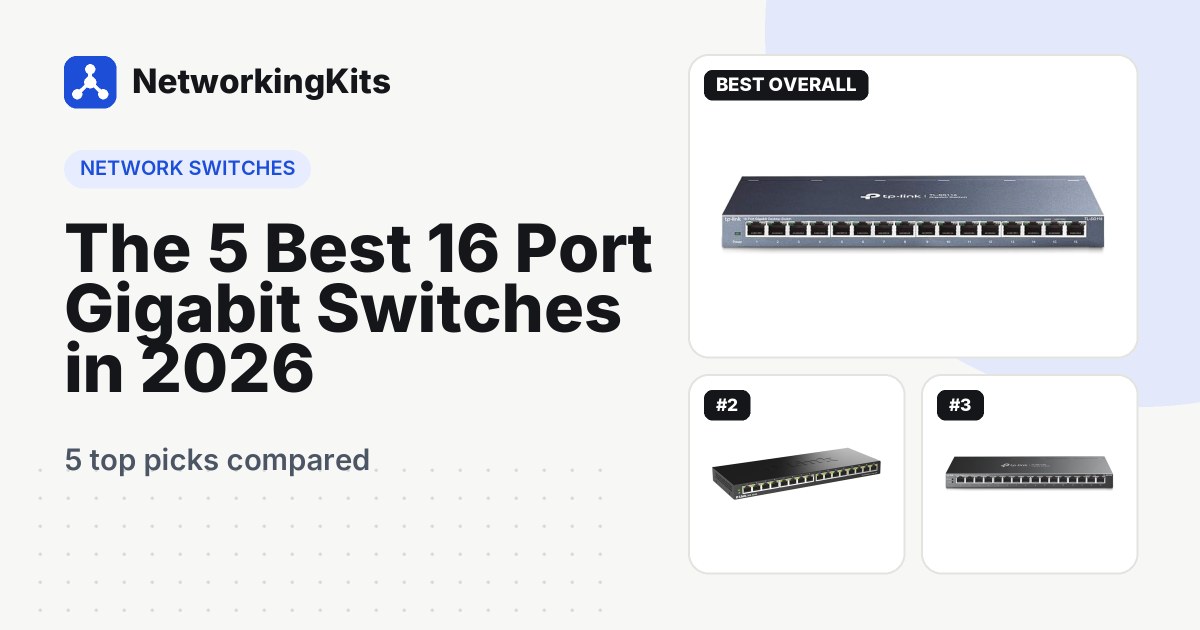
A 16-port gigabit switch is for networks that have outgrown a small switch. In an office, that could be ten desks, a couple of printers and a few access points. At home, it is often a mix of security cameras, a NAS, a media room and a home office.
One cable connects the switch to your router, and the other fifteen ports give every wired device its own full-speed connection. That is much tidier than chaining several small switches together. The best 16-port models are silent and fit on a shelf, a wall or in a rack.
We compared the popular 16-port gigabit switches on Amazon.com, from compact desktop boxes to rackmount models, checked every spec against the maker's datasheet, and left out anything slower than gigabit. Here are the five we recommend.
Quick answer: Get the TP-Link TL-SG116 if you simply need more ports. It is silent, built in steel and has nothing to configure. Wiring cameras or access points? The TP-Link TL-SG116P puts PoE+ on all sixteen ports. Building a rack? The TP-Link TL-SG1016DE adds VLANs and comes with rack ears.
Already past fifteen devices? Our guide to the best 24-port gigabit switches picks up where this list ends.
Our criteria for 16-port switches
All five picks have sixteen gigabit ports and come from brands with a long record on Amazon. Here is what separated them:
- Full speed on all sixteen ports. That takes 32 Gbps of non-blocking switching capacity, and every pick has it.
- The right shape. We included slim desktop boxes and rack-friendly models, since both are popular at this size.
- No fan noise. Every pick is fanless, so it can sit in an office or living room.
- Owner feedback over time. We focused on reliability reports after months of 24/7 use, not just first impressions.
Best 16 Port Gigabit Switches Compared (2026)
| Product | Type | PoE | Mounting | Warranty | Score | |
|---|---|---|---|---|---|---|
 Best OverallTP-Link TL-SG116 16 Port Gigabit Unmanaged Ethernet SwitchHomes and small offices with ten or more wired devices | Unmanaged, plug and play | None | Desktop or wall | 3 years | 9.3 | Check Price |
 SlimmestD-Link DGS-1016S 16-Port Gigabit Unmanaged Slim SwitchTight shelves, wall mounting and media centers | Unmanaged, plug and play | None | Desktop or wall, slim | 5 years | 8.9 | Check Price |
 Best PoETP-Link TL-SG116P 16 Port Gigabit PoE+ Switch (120W)Security cameras, access points and VoIP phones | Unmanaged PoE+, plug and play | 120W on all 16 ports | Desktop | 3 years | 9.0 | Check Price |
 Best ManagedTP-Link TL-SG1016DE 16 Port Gigabit Easy Smart Managed SwitchNetwork racks, home labs and anyone who wants VLANs | Easy Smart managed | None | Desktop or rack | 3 years | 8.8 | Check Price |
 Best RackmountTenda TEG1016D 16 Port Gigabit Rackmount SwitchSimple rack installs and outdoor cable runs | Unmanaged, plug and play | None | Desktop or rack | 3 years | 8.7 | Check Price |
Our Top Picks Reviewed
Here is a closer look at all 5 of our picks for the best 16 port gigabit switches: what each one does well, where it falls short and who it suits best, based on the specs and real buyer feedback.

TP-Link TL-SG116 16 Port Gigabit Unmanaged Ethernet Switch
- Ports
- 16 x Gigabit RJ45
- Type
- Unmanaged, plug and play
- Extras
- 802.1p/DSCP QoS, IGMP snooping
- Form factor
- Steel desktop, wall-mountable
- PoE
- None
- Mounting
- Desktop or wall
- Warranty
- 3 years
Boring is the best compliment you can pay a network switch. The TP-Link TL-SG116 is wonderfully boring: you plug it in, and it gets out of the way for years.
Sixteen gigabit ports line the front of a steel case, and each one sets its own speed and cable type. There is no fan and nothing to configure. Connect one port to the router, and the other fifteen are ready. It sits on a desk or mounts on a wall, and TP-Link rates it for rooms up to 104°F.

Owners agree with the boring part, in the best way, and over 1,000 sell every month. Buyers praise true plug and play, full gigabit speed and a sturdy build. Many call it great value for a home network.
It quietly includes a few extras too. 802.1p and DSCP QoS help voice and video, IGMP snooping tames IPTV streams, and 802.3x flow control keeps big transfers steady. Idle ports power down on their own, which helps on a box that never switches off.
Reliability reports are mostly good. If anything does go wrong, TP-Link's 3-year warranty covers it. It has no VLANs or PoE, so look at the TL-SG1016DE or TL-SG116P if you need those.
What we like
- Full gigabit speed on all 16 ports
- Silent steel case
- QoS and IGMP snooping built in
- Zero setup
Good to know
- No VLANs (the TL-SG1016DE adds them)
- No PoE (see the TL-SG116P)
- Desktop case, so use a shelf in a rack

D-Link DGS-1016S 16-Port Gigabit Unmanaged Slim Switch
- Ports
- 16 x Gigabit RJ45
- Type
- Unmanaged, plug and play
- Extras
- 8-queue QoS, 802.3az, cable-length power saving
- Form factor
- Slim metal, about 1 inch thick
- PoE
- None
- Mounting
- Desktop or wall, slim
- Warranty
- 5 years
Most 16-port switches are too chunky for the gap behind a TV cabinet. The D-Link DGS-1016S is about an inch thick, so it slides onto crowded shelves and lies flat against a wall.
It is fully plug and play, with no software. QoS with eight queues gives VoIP calls and camera footage priority during busy moments. It is fanless and silent, and it is clever about power: besides 802.3az, it lowers power on idle ports and on shorter cable runs.

It also has the longest warranty on this list. D-Link covers it for 5 years once you register it, compared with 3 years for the TP-Link and Tenda picks.
One thing to know about the feedback: on Amazon, the DGS-1016S shares a listing with D-Link's 5-port and 8-port DGS switches, so owner reviews cover the whole family. Owners say the switches work flawlessly with no setup and feel solid, and many have kept theirs running for years.
Because that feedback is not specific to this model, we rank it below the TL-SG116. It has no management or PoE either. When a slim, wall-friendly box matters most, though, this is the one we would buy.
What we like
- About an inch thick
- 5-year warranty, the longest here
- QoS for calls and camera footage
- Power saving on idle and short links
Good to know
- Register it to activate the warranty
- No management or PoE

TP-Link TL-SG116P 16 Port Gigabit PoE+ Switch (120W)
- Ports
- 16 x Gigabit RJ45 (all PoE+)
- Type
- Unmanaged PoE+, plug and play
- Extras
- 120W budget, 30W per port, Extend, Priority and Isolation modes
- Form factor
- Metal desktop, fanless
- PoE
- 120W on all 16 ports
- Mounting
- Desktop
- Warranty
- 3 years
How many cameras can one switch power? With the TP-Link TL-SG116P, the honest answer is most home systems, because every one of its sixteen ports supports PoE+.
Each port can deliver up to 30 watts, and the switch shares a 120-watt budget across all of them. That suits a full set of typical fixed cameras, or a mix of cameras and a few access points. It is plug and play, fanless and housed in a compact metal case for a desk or wall.

The front-panel modes are made for surveillance. Extend Mode stretches power and data to 250 meters on ports 1 to 4, at 10 Mbps, which is still enough for many cameras. Priority Mode gives those same four ports first claim on bandwidth. Isolation Mode stops client devices from talking to each other, and PoE Auto Recovery can reboot a frozen camera on any port once you turn it on.
Owners are happy with it, and more than 500 sell each month. Buyers say it is easy to set up and like the power capacity, and one runs four PoE cameras on it without trouble. Complaints are a little more common than with the plain switches. That is normal for PoE gear, where cabling and power budgets add variables.
Before buying, add up your devices. 120 watts averages 7.5 watts per port, so heated outdoor cameras, PTZ models and power-hungry access points will eat the budget faster. Our PoE explainer walks through the math. You also get a 3-year TP-Link warranty.
What we like
- PoE+ on all sixteen ports
- Extend Mode reaches 250 m on ports 1-4
- PoE Auto Recovery reboots frozen devices
- Fanless and silent
Good to know
- 120W averages 7.5W per port, so total your devices
- Auto Recovery stays off until you enable it
- Double-check cabling if a PoE device acts up

TP-Link TL-SG1016DE 16 Port Gigabit Easy Smart Managed Switch
- Ports
- 16 x Gigabit RJ45
- Type
- Easy Smart managed
- Extras
- 32 VLANs, QoS, port mirroring, cable test, 10K jumbo frames
- Form factor
- Rackmount or desktop (ears included)
- PoE
- None
- Mounting
- Desktop or rack
- Warranty
- 3 years
Picture a small rack in a closet: a patch panel on top, a switch right below, short cables between them. The TP-Link TL-SG1016DE was made for that spot, and it is the only smart switch on this list.
Rack ears come in the box, along with rubber feet if you would rather use a shelf. Out of the box, it works like any unmanaged switch. Log in when you are ready, and you can set up to 32 VLANs to separate cameras, smart home gadgets and guests. Our comparison of managed and unmanaged switches explains when that is worth doing.

The other tools make sixteen cables easier to manage. You get port, 802.1p and DSCP QoS, IGMP snooping, port mirroring, loop prevention and cable diagnostics. Static link aggregation and 10 KB jumbo frames help with big NAS transfers, and the whole thing is fanless and silent.
Buyers call it well built, easy to configure and good value, and some say it cost less than other 16-port unmanaged switches they considered. One owner runs nine devices at full gigabit speed at the same time.
If anything comes up, it is the odd random disconnect, which a quick firmware check or port swap usually sorts out. With smart switches, that often comes down to a setting such as a VLAN or loop prevention. Change one setting at a time, and keep the switch's IP address written down. You also get a 3-year TP-Link warranty.
What we like
- 32 VLANs plus QoS and IGMP snooping
- Mirroring, loop prevention and cable test
- Rack ears and rubber feet included
- Plug and play until you need more
Good to know
- Change one setting at a time to avoid dropouts
- Settings take a little learning
- No PoE (see the TL-SG116P)

Tenda TEG1016D 16 Port Gigabit Rackmount Switch
- Ports
- 16 x Gigabit RJ45
- Type
- Unmanaged, plug and play
- Extras
- 32 Gbps, 6 kV lightning protection, built-in power supply
- Form factor
- Metal desktop or rackmount, brackets included
- PoE
- None
- Mounting
- Desktop or rack
- Warranty
- 3 years
Six kilovolts. That is the lightning surge Tenda says each port of the TEG1016D can withstand, and the power supply is protected too. If you run cables to outdoor cameras or a detached garage, that number matters.
Beyond the protection, it is a no-nonsense unmanaged switch. Sixteen auto-negotiating gigabit ports share 32 Gbps of switching capacity, so every port can run at full speed at once. The power supply is built in, so there is no bulky adapter to hide.

The metal case works on a desk, on a wall or in a rack, and it runs without a fan. Tenda includes rack brackets in the box and lists a 3-year warranty with free technical support.
Feedback is strongly positive. Buyers call it great value and simple plug and play, and one describes its gigabit performance as rock solid. Poor reviews are rare.
Why fifth, then? Tenda is a smaller name in the US than TP-Link or D-Link, and the switch has no management features. For a sturdy, set-and-forget rack switch, especially with outdoor runs, it is still an excellent buy.
What we like
- 6 kV lightning protection on every port
- Built-in power supply
- 32 Gbps switching capacity
- Rack brackets included
Good to know
- Smaller brand in the US
- No management features
- No PoE (see the TL-SG116P)
What we ruled out
Not everything that shows up in a search made our list. Here is what we left out and why, so you know what to avoid when you shop.
- 16-port Fast Ethernet switches. Older 10/100 models are still sold cheaply, but they cap every device at 100 Mbps. That is a poor fit for NAS backups, 4K cameras and fast internet.
- 24-port and larger switches. They are a different size class with different prices and placement needs. Our 24-port and 26-port lists cover them.
- 2.5G and multi-gig 16-port models. They cost much more and only help when your router, PCs and NAS have faster ports too.
- Unknown brands and unproven models. We skipped sellers without a clear warranty or networking track record, plus anything without a strong track record with owners.
Buying guide: how to pick a 16-port gigabit switch
At sixteen ports, you are wiring a whole house or a small office, so a few decisions matter more than they do with a small switch. Where will it live? Does anything need power over the cable? Will you want VLANs later? Start here.
Do you really need 16 ports?
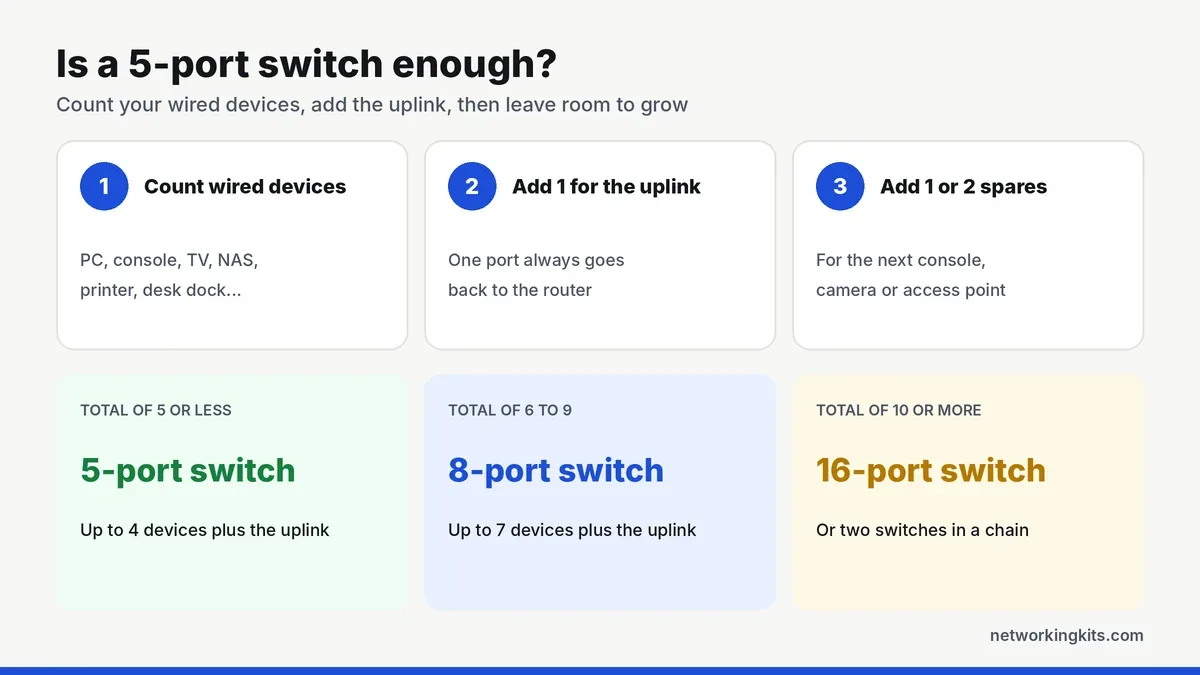
Count every wired device, add one for the uplink, then add two or three spares. If you land between ten and fifteen, sixteen ports is the right size. At nine or fewer, our list of the best 8 port gigabit switches will save money and shelf space.
Desktop or rackmount?
Desktop models like the TL-SG116, DGS-1016S and TL-SG116P are compact boxes for a shelf, desk or wall. The TL-SG1016DE and Tenda TEG1016D can also bolt into a network rack with their brackets. A rack slot is one rack unit, or 1.75 inches, tall, and our explainer on how rack units work helps you plan the space.
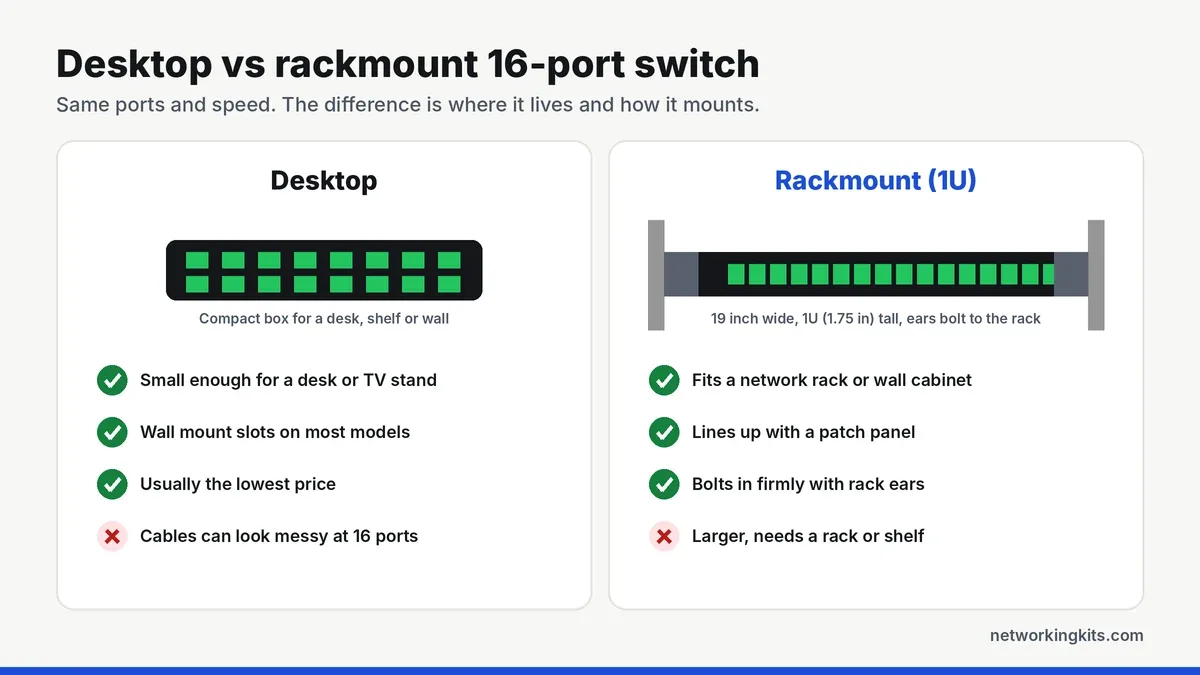
Both styles perform the same, so choose by where the switch will live and how many cables you need to tidy.
Unmanaged, smart or PoE?
Unmanaged switches are plug and play, and they suit most homes. A smart switch like the TL-SG1016DE adds VLANs, QoS rules, port mirroring and cable tests, which get more useful as a network grows. A PoE switch like the TL-SG116P powers cameras, access points and phones through the network cable, so nothing needs an outlet nearby. With sixteen ports, PoE saves a lot of time on a camera install.
One more thought: if you expect to want VLANs within a year or two, buy the smart switch now. Swapping switches later means re-patching sixteen cables, and nobody enjoys that afternoon.
Plan your PoE budget
The TL-SG116P shares 120 watts across its sixteen ports, with up to 30 watts on any one of them. That averages 7.5 watts per port if every port is busy. Typical fixed cameras use about 4 to 7 watts, but PTZ cameras, heated outdoor cameras and newer access points can draw far more. Total your devices and keep about 20 percent spare.
Protection for outdoor runs
Any cable that runs outside, to a camera, a garage or a second building, can carry a surge back into the switch. The Tenda TEG1016D has 6 kV lightning protection on its ports and its power supply, which adds peace of mind in storm-prone areas.
Plan for a patch panel
Once ten or more cables run through your walls, a patch panel beside the switch keeps things sane. Each wall cable ends at the panel, and short patch cords connect it to the switch. You never have to touch the in-wall wiring again.
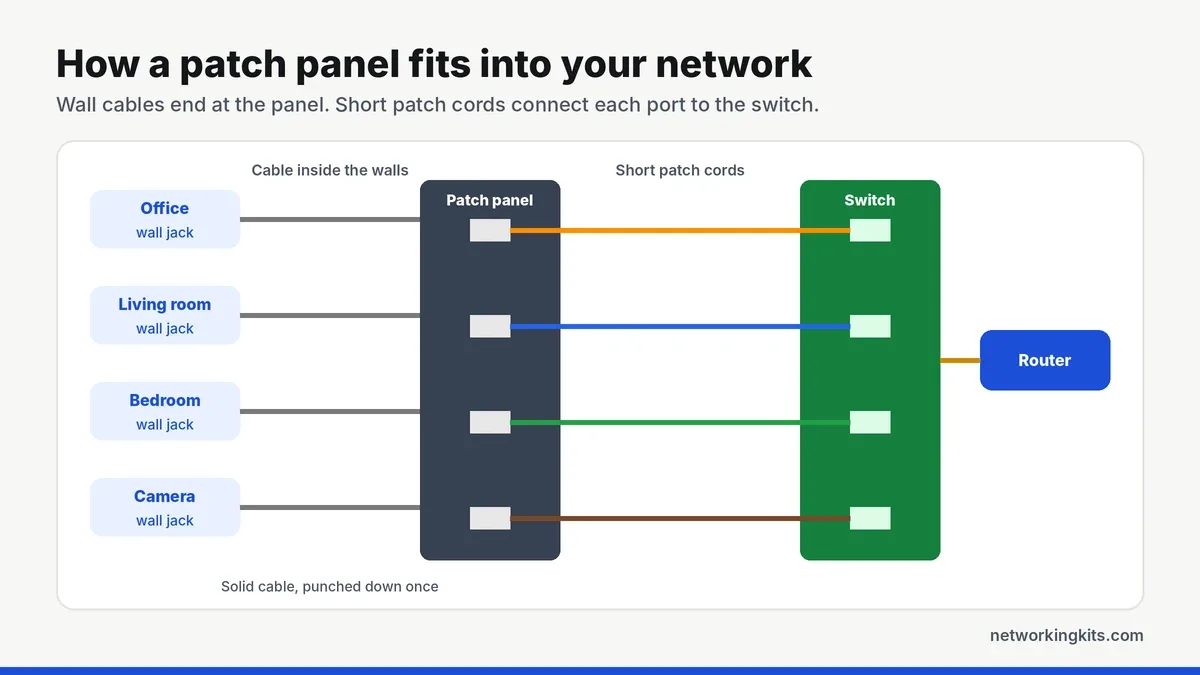
Our patch panel guide explains how they work, and our list of the top Cat6 patch panels narrows the choice. You will also need a punch down tool, which comes with most of the network tool kits we recommend.
Label every port on the panel and the switch with the room it serves, like "Office 1" or "Garage camera." With sixteen cables, labels turn a twenty-minute hunt into a twenty-second fix.
Uplinks and growth
Every device shares one uplink to the router for internet traffic, and a gigabit uplink is faster than most home plans. Local traffic, like backups to a NAS, never touches that uplink if the NAS sits on the same switch. So keep your busiest devices together.
If you outgrow sixteen ports, you can add a second switch with a single cable. The TL-SG1016DE can also bundle two ports into one wider link to that second switch with static link aggregation. Our switch setup guide explains how to chain them without creating a loop.
Warranty at a glance
Coverage on this list is refreshingly simple. The D-Link DGS-1016S leads with 5 years once you register it. TP-Link's current US policy gives its metal-case switches 3 years, which covers the TL-SG116, TL-SG116P and TL-SG1016DE. Tenda lists 3 years for the TEG1016D.
Cables, cooling and placement
Use solid copper Cat5e or Cat6 for every run, and our Cat5e vs Cat6 comparison explains the difference. Fanless switches cool through their cases, so leave some space around them. Avoid sealed cabinets with no airflow, and never stack the switch on a hot router or NAS.
Final verdict
If you want sixteen fast ports with zero fuss, the TP-Link TL-SG116 is the best 16 port gigabit switch for most homes and small offices. Its steel case stays cool without a fan, so it runs silently on a shelf or desk. Plug it in, connect your devices, and it simply gets on with the job, backed by a 3-year warranty. Sixteen ports is the sweet spot for a busy home or a small office: enough for desks, a TV, a printer and a NAS, with room left over.
Short on space? The slim D-Link DGS-1016S fits tight shelves and carries a 5-year warranty. For cameras and access points, the TP-Link TL-SG116P puts PoE+ on every port. In a network rack, the TP-Link TL-SG1016DE adds VLANs and comes with rack ears, which keeps things tidy as you grow. Whichever you choose, leave a few ports free, because home and office networks always seem to grow.
Frequently Asked Questions
Is one 16-port switch better than two 8-port switches?
Usually, yes. One 16-port switch keeps every device one hop from the router, needs one power outlet and is easier to manage. Two 8-port switches only make sense when your devices are in two separate rooms.
Does a 16-port gigabit switch slow down the network?
No. A good 16-port switch has 32 Gbps of switching capacity, enough for every port to run at full gigabit speed at once. Devices share the uplink to the router only for internet traffic.
Do I need a rackmount switch?
Only if you have a network rack or wall cabinet. Rackmount and desktop switches perform the same. Rack models are easier to keep tidy next to a patch panel, while desktop models are smaller and often cheaper.
How much power does a 16-port PoE switch provide?
It depends on the model. The TP-Link TL-SG116P offers up to 30 watts per port and 120 watts in total. Add up the maximum draw of every device you plan to connect and keep about 20 percent spare.
Which 16-port switch has the longest warranty?
The D-Link DGS-1016S, with 5 years after registration. The TP-Link TL-SG116, TL-SG116P and TL-SG1016DE get 3 years under TP-Link US policy, and Tenda lists 3 years for the TEG1016D.
Tell us a little about your home or office network and we will point you in the right direction. We read every message.

We are network installers and home lab builders who have spent over a decade crimping, punching down and testing cable. Every guide is built from spec sheets, verified buyer feedback and real-world install experience.
How we research and score products →