On this page 8 sections
Shop for a network switch and you will hit the same fork in the road within minutes: managed or unmanaged? The managed ones cost more and promise features with names like VLAN, QoS and SNMP. The unmanaged ones just promise to work.
For a lot of people, "just works" is exactly right. For others, a few of those managed features solve real problems, such as keeping smart home gadgets off the main network. This guide explains what each type does, the middle ground called a smart switch, and how to choose.
What an unmanaged switch does
An unmanaged switch is plug and play. You connect one port to your router, plug devices into the rest, and it starts forwarding traffic straight away. There is no app, no login page and nothing to configure. It learns which device is on which port by reading MAC addresses, and sends each packet only where it needs to go.
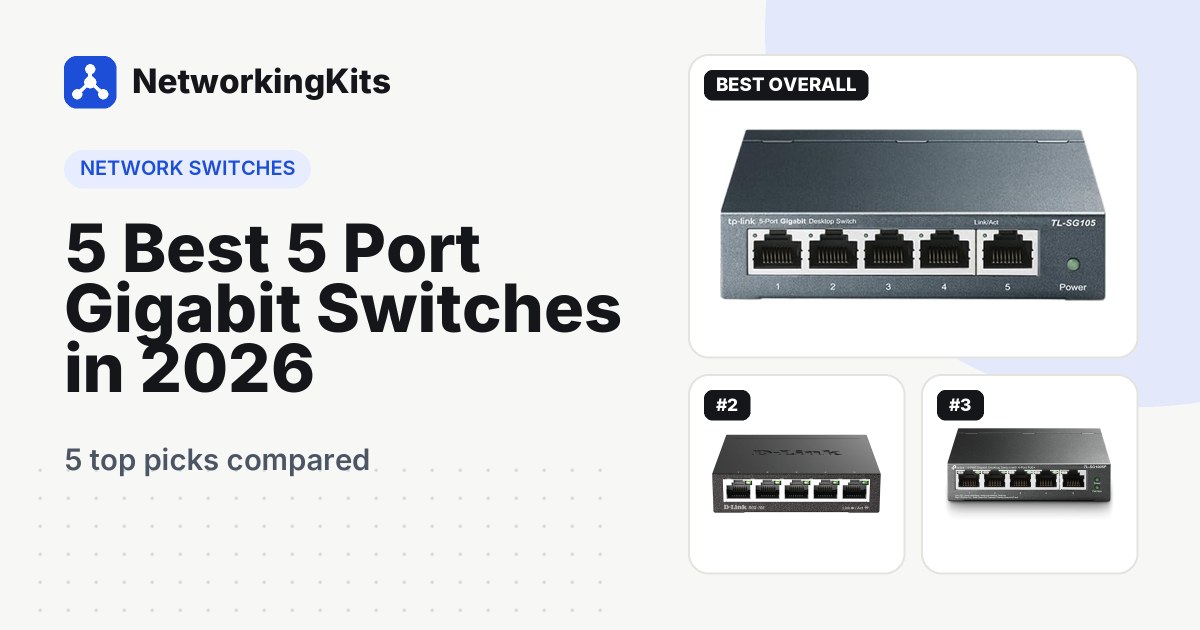
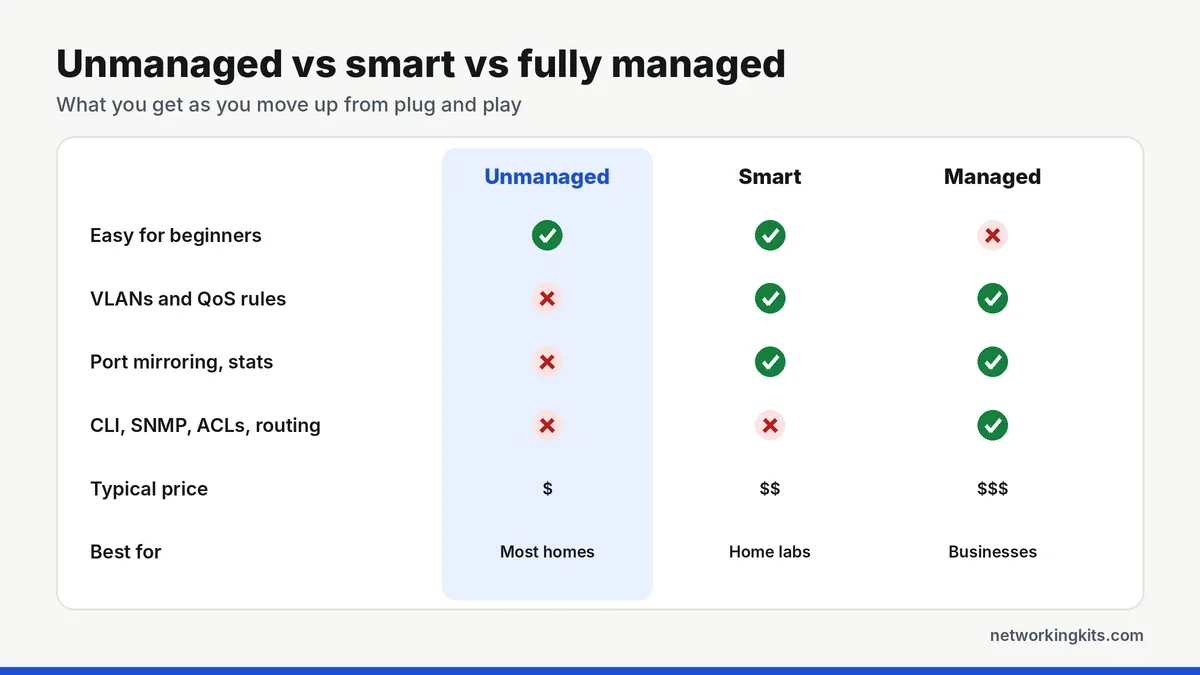
Many modern unmanaged switches still include a little intelligence. Models like the TP-Link TL-SG105 support basic 802.1p QoS and IGMP snooping out of the box, which helps voice, video and IPTV run smoothly. You just cannot change how those features behave. For most homes, that is perfectly fine.
What a managed switch adds
A managed switch lets you log in and control how traffic flows. The most useful features are:
- VLANs: split one physical switch into several separate networks.
- QoS rules: decide which devices or traffic types get priority.
- Port mirroring and statistics: see traffic, errors and link speed per port, which makes troubleshooting much easier.
- Link aggregation: combine two ports into one faster, redundant link to a NAS or another switch.
- Security tools: fully managed switches add access control lists, 802.1X authentication, SNMP monitoring and a command line for scripted setup.
The middle ground: smart (web managed) switches
Between the two sits a category called smart, easy smart or web managed. These switches work like unmanaged ones out of the box, but add a simple web page or app where you can set up VLANs, QoS, port mirroring and cable diagnostics. They skip the advanced enterprise tools, which keeps the price close to an unmanaged switch.
For a home lab, a gaming setup with a busy household or a small office, a smart switch is usually the sweet spot. The TP-Link TL-SG105E, one of our picks for a small home switch, is a good example: it adds VLANs, port mirroring and loop prevention for only a few dollars more than the unmanaged version.
Why VLANs are the feature most people want
A VLAN (virtual LAN) tags traffic so devices in one group cannot see devices in another, even though they share the same switch. A common home setup uses three: one for your computers and NAS, one for smart home devices like cameras and plugs, and one for guests. Our step-by-step walkthrough shows how to set up a VLAN on a smart switch.
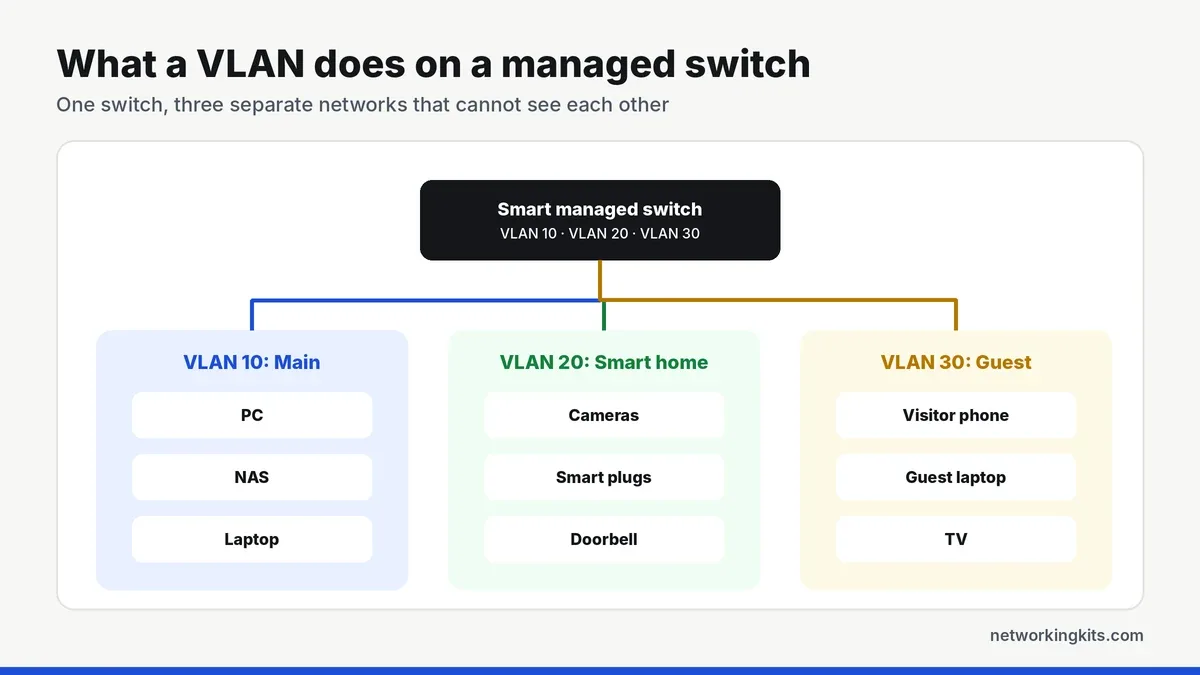
The benefit is security. Cheap smart plugs and cameras rarely get updates, so keeping them on their own VLAN means a compromised gadget cannot reach your laptop or files. To make it work, your router or firewall also needs to understand VLANs, so check that before you buy.
Link aggregation and other useful extras
If you run a NAS or a second switch, link aggregation (LACP) lets you bond two or more ports into one logical link. It does not make a single file transfer faster, but it spreads traffic from several users across the links and keeps the connection up if one cable fails. Loop detection is another quiet lifesaver: if someone plugs both ends of a cable into the same switch, a managed switch can block the loop before it floods the network. Our explainer on how port bonding works goes deeper.
Downsides of managed switches
More features mean more ways to get things wrong. A bad VLAN setting can cut a device off the network, and fully managed switches can take real time to learn. They also cost more, and some larger models have fans that you will hear in a quiet room. If you do not have a specific problem to solve, those features will sit unused.
Which should you choose?
Quick verdict: most homes only need an unmanaged switch, a smart managed switch is the sweet spot if you want VLANs, and fully managed switches belong in business networks.
Choose unmanaged if you simply need more Ethernet ports for a TV, console, PC or desk. It is cheaper, silent and impossible to misconfigure. Not sure how a switch fits with your router? Our guide to switches and routers explains the roles.
Choose smart managed if you want VLANs for smart home security, a home lab, port statistics or link aggregation to a NAS.
Choose fully managed for business networks that need SNMP monitoring, 802.1X, ACLs, a command line or layer 3 routing. If you also need to power cameras or access points, look at a managed PoE model, and read how Power over Ethernet works to size the power budget.
Frequently Asked Questions
Is a managed switch faster than an unmanaged switch?
No. A gigabit port runs at the same speed on both. Managed switches give you control over traffic, which can help busy networks feel smoother, but they do not make a single connection faster.
Do I need a managed switch for gaming?
Usually not. A good unmanaged gigabit switch adds no noticeable lag. Managed QoS can help in a busy household, but your router's QoS or SQM settings usually matter more for ping.
Can I use a managed switch without configuring it?
Yes. Most smart and managed switches forward traffic like an unmanaged switch right out of the box. You only need to log in when you want to use the extra features.
What is the difference between a smart switch and a managed switch?
A smart switch offers a simpler set of managed features, usually VLANs, QoS and port monitoring through a web page. A fully managed switch adds advanced tools such as a command line, SNMP, ACLs and sometimes routing.

We are network installers and home lab builders who have spent over a decade crimping, punching down and testing cable. Every guide is built from spec sheets, verified buyer feedback and real-world install experience.
How we research and score products →