On this page 11 sections
- How we judged these kits
- Comparison table
- Our Top Picks Reviewed
- 1. Klein Tools 80072 RJ45 Cable Tester Kit
- 2. Klein Tools 80024 Pass-Thru Installation Kit
- 3. InstallerParts Professional Network Tool Kit 15-in-1
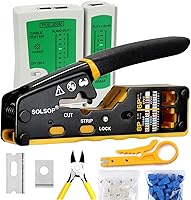
- 4. Solsop Pass Through RJ45 Crimp Tool Kit
- 5. Gaobige Network Tool Kit 11-in-1
- Buying guide: what a good networking tool kit needs
- Final verdict
- FAQ
A networking tool kit is an odd purchase. You buy it for one job, like a cable the vacuum chewed or a new run to the home office. Then it lives in a drawer until the next emergency. So it has to work the first time and still work two years later.
Kits are also surprisingly hard to compare. One box holds three tools, another boasts fifteen, and the piece count tells you almost nothing. What matters is the crimper, the tester and whether you get a punch down tool for wall jacks. Most of the rest is packing.
We compared the best-selling network tool kits on Amazon.com, opened up every parts list to see what you really get, and kept the kits whose tools hold up after the first few jobs. Then we read what owners say after real projects, so you know which kit fits your job.
Quick answer: The Klein Tools 80072 Cable Tester Kit is the kit we would buy. It pairs Klein's ratcheting pass-through crimper with a real wiremap tester and 50 plugs. Wiring wall jacks or a patch panel too? The InstallerParts 15-in-1 kit adds a punch down tool and a hard case for less money.
Already own a tester and just want a better crimper? Our list of the best crimpers for Cat6 cable covers standalone tools in more depth.
How we judged these kits
We ignored the number on the box and looked hard at the tools inside. Every kit was judged on five things:
- The crimper. It is the tool you use most. Does it ratchet, does it take pass-through plugs, and how often do owners report failed crimps?
- The tester. A kit without a way to check your work is only half a kit. We noted what each tester can and cannot detect.
- Useful extras. A punch down tool or a good stripper earns its place. A tiny screwdriver mostly pads the count.
- Staying power. We weighed how well each kit holds up over time and the complaints that keep coming back.
- Warranty. Klein covers its crimpers for life and its testers for 2 years. We noted what the smaller brands state too.
Best Networking Tool Kits Compared (2026)
| Product | Pieces | Tester | Pass-through | Punch down | Warranty | Score | |
|---|---|---|---|---|---|---|---|
 Best OverallKlein Tools 80072 RJ45 Cable Tester KitHomeowners and IT techs who want pro-grade crimping and testing in one box | 3 | Wiremap LCD | Yes | No | Lifetime (crimper), 2 years (tester) | 9.4 | Check Price |
 Best Crimper UpgradeKlein Tools 80024 Pass-Thru Installation KitAnyone who makes patch cables often and already owns a tester | 2 | No | Yes | No | Limited lifetime | 9.0 | Check Price |
 Most Complete KitInstallerParts Professional Network Tool Kit 15-in-1First-time installs that need crimping, punching down and testing | 15 | LED continuity | No | 66/110 | None listed (30-day Amazon returns) | 8.5 | Check Price |
 Best Pass-Through ValueSolsop Pass Through RJ45 Crimp Tool KitBeginners who want a pass-through crimper and tester in one purchase | 6 | LED continuity | Yes | No | None listed (30-day Amazon returns) | 8.2 | Check Price |
 | 11 | LED continuity | No | 110 | None listed (30-day Amazon returns) | 7.8 | Check Price |
Our Top Picks Reviewed
Here is a closer look at all 5 of our picks for the best networking tool kits: what each one does well, where it falls short and who it suits best, based on the specs and real buyer feedback.

Klein Tools 80072 RJ45 Cable Tester Kit
- Pieces
- 3
- Tester
- Wiremap LCD
- Pass-through
- Yes
- Punch down
- No
- Warranty
- Lifetime (crimper), 2 years (tester)
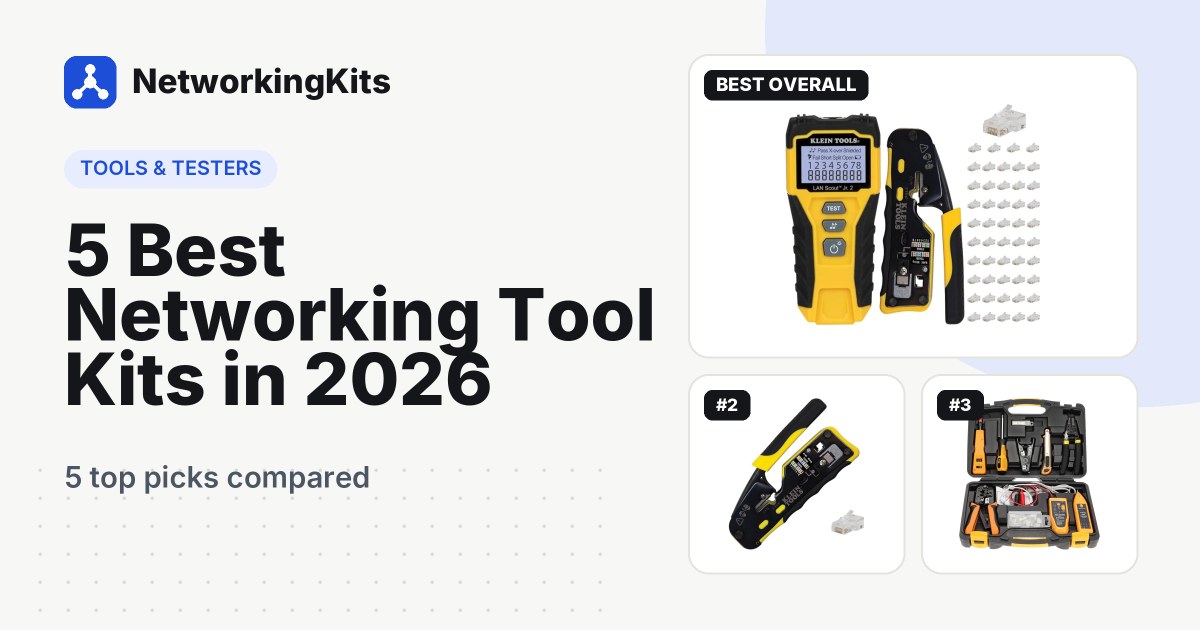
Open the 80072 and you notice what is missing: filler. There is a crimper, a tester and a bag of plugs, and you will use all three on almost every job. It is the kit we would buy for ourselves.
The crimper is Klein's VDV226-110, one of the best-loved networking tools on Amazon. It strips, cuts and crimps, and its ratchet will not let go until the crimp is finished. Because it uses pass-through plugs, you can check the color order before you squeeze, and the tool trims the ends flush. If you have ever pushed eight wires into a closed plug and hoped, this feels like cheating.

The tester is the other half of the value. The LAN Scout Jr. 2 has a backlit screen with a pin-to-pin wiremap, and it flags opens, shorts, miswires and split pairs. Its remote stores inside the tester, so it does not vanish into the bottom of a bag. It runs on two AAA batteries, which are included, and it can tone cables with Klein's probe (sold separately).
Owners are thrilled, and complaints are rare. Reviews keep praising the ratcheting crimper and how quickly the tester catches wiring mistakes. The only mixed point is size: the tools are compact, which some people love and others find small in big hands.
The main gap is a punch down tool, so add one if you will terminate wall jacks. Klein covers the crimper for its normal working life and the tester for 2 years.
Who it is for: homeowners wiring a few rooms, home lab builders and IT techs who want pro-grade results without buying three tools separately.
What we like
- Ratcheting crimper finishes every crimp fully
- Pass-through plugs let you check wire order first
- LAN Scout Jr. 2 catches shorts and split pairs
- Tester remote stores inside the body
Good to know
- No punch down tool, so add one for wall jacks
- Costs more than budget kits, but built to last
- Compact tools can feel small in big hands

Klein Tools 80024 Pass-Thru Installation Kit
- Pieces
- 2
- Tester
- No
- Pass-through
- Yes
- Punch down
- No
- Warranty
- Limited lifetime
Why pay for a tester you already own? The 80024 trims the Klein bundle down to the part that matters most: the same VDV226-110 ratcheting pass-through crimper, plus a 50-pack of Klein Cat6 Pass-Thru plugs.
Build quality is the theme owners return to most, and buyers describe it as solid and built to last. Many point out how cleanly it trims the wire ends after crimping, which is the whole reason to buy a pass-through crimper. The wiring diagram printed on the tool gets plenty of love too, because it saves you looking up the T568B order on your phone.

The mixed feedback is about value and plugs. Some feel it is pricey for one tool, and opinions on the included plugs range from great to merely fine. There is a simple reason for the second one. Pass-through plugs are sized for a range of wire gauges, and thick 23 AWG Cat6 can be a tight fit. If you run heavy Cat6 or Cat6A, buy plugs rated for your exact cable.
Klein covers the crimper for its normal working life. Pair it with any decent tester and you have a pro setup, and our walkthrough on making your own Ethernet cable covers each step.
Who it is for: anyone who makes patch cables often, or who is tired of a cheap crimper that keeps producing bad ends.
What we like
- Same VDV226-110 crimper as the 80072
- Clean flush trim on pass-through plugs
- Wiring diagram printed on the tool
- Owners rave about the build quality
Good to know
- No tester, so pair it with one you own
- Pricier than a basic crimper, but it lasts
- Thick 23 AWG cable may need plugs rated for it

InstallerParts Professional Network Tool Kit 15-in-1
- Pieces
- 15
- Tester
- LED continuity
- Pass-through
- No
- Punch down
- 66/110
- Warranty
- None listed (30-day Amazon returns)
Say you are wiring a home office. Two wall jacks need punching down, a couple of patch cables need crimping, and everything should be tested before the furniture goes back. The InstallerParts 15-in-1 is the only kit here that covers all of that in one case.
Inside the molded hard case you get an RJ11/12/45 crimper, a punch down tool with 66 and 110 blades, a wire stripper and a utility knife with spare blades. There is also a 2-in-1 screwdriver, an RJ11/RJ45 cable tester, 10 RJ45 plugs and 5 boots.

The punch down tool is the real prize. If you run cable through walls, you will punch down more often than you crimp, and a separate punch down tool can cost a good share of this kit's price. Owners call it a great starter set, and tool selection is one of the most praised points. One buyer says the tester is the easiest tool they have used for checking Cat5 and Cat6 cables.
Durability gets mixed reviews. Plenty of owners say the tools hold up fine, while others feel some parts are lightweight for heavy use. That is the usual trade with a big kit at this price: breadth rather than Klein-grade steel. The crimper takes standard plugs, not pass-through, and the tester needs a 9V battery you buy separately.
Who it is for: homeowners and DIYers doing a first wired install, students, and anyone who wants crimping, punching down and testing in one case. If you crimp daily, upgrade the crimper later and keep the rest.
What we like
- 66/110 punch down tool for wall jacks
- Lightweight hard case keeps everything organized
- Simple, easy-to-read cable tester
- Wide tool selection for the price
Good to know
- Lighter-duty tools, so upgrade the crimper if you crimp daily
- Standard plugs only, so skip pass-through plugs
- Grab a 9V battery for the tester
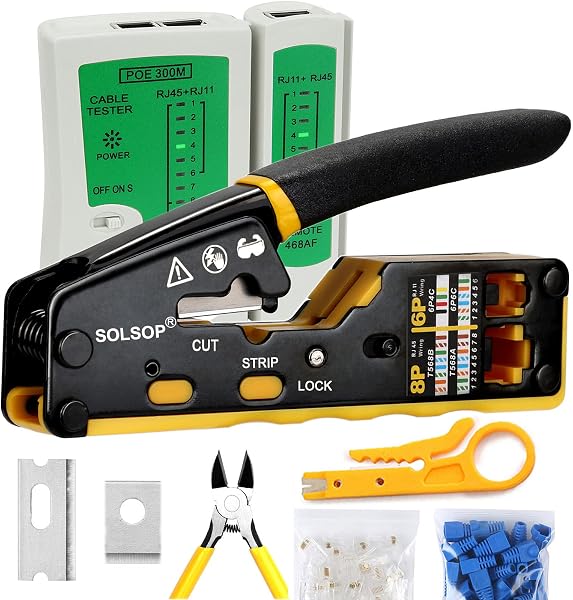
Solsop Pass Through RJ45 Crimp Tool Kit
- Pieces
- 6
- Tester
- LED continuity
- Pass-through
- Yes
- Punch down
- No
- Warranty
- None listed (30-day Amazon returns)
Pass-through crimping is the easiest way to make a good cable, but the Klein kits cost real money. The Solsop kit is the budget route into the same technique, with a tester included.
In the box are a compact pass-through crimper, 50 pass-through Cat6 plugs, 50 strain relief boots, a network and phone cable tester and a mini cable stripper. It is one of the best sellers in the category, with more than a thousand bought in a recent month.

Owners like the convenience. Everything arrives in one box, the wiring diagram on the tool helps beginners, and replacement blades are available. When the tool is dialed in, buyers say it trims both the jacket and the wire ends cleanly.
Consistency is the catch. Complaints turn up more often than with the Klein kits, mostly about crimps or cuts that are not quite clean. Test each cable you make, and swap in a fresh blade if cuts start to look ragged. That pattern usually points to variation between units, so some copies are great and some need more patience.
The included tester makes it easy to check each cable as you go.
Who it is for: beginners and occasional users who want pass-through crimping and a tester for less than the Klein kit, and can live with a little more risk.
What we like
- Pass-through crimper is easy for beginners
- 50 plugs and 50 boots included
- Tester in the box for checking every cable
- Budget-friendly all-in-one set
Good to know
- Check each tool when it arrives
- The blade may need a firm squeeze to cut clean
- 9V tester battery not included

Gaobige Network Tool Kit 11-in-1
- Pieces
- 11
- Tester
- LED continuity
- Pass-through
- No
- Punch down
- 110
- Warranty
- None listed (30-day Amazon returns)
The Gaobige 11-in-1 is a popular pick, which shows how far a low price goes. For about the cost of a takeout dinner, you get a crimper, a cable tester and a 110 punch down tool. A wire stripper, a screwdriver, stripping pliers and a mix of RJ45 and phone plugs round it out. It all comes in a zippered bag.
Value is the headline in the reviews. Owners say the quality is impressive for the price and that the kit covers basic network maintenance or a one-off project. If you need to fix one cable or add a couple of runs at home, it gets the job done.

Be realistic about durability, though. It is the most common complaint, with a number of owners saying the crimper gave out early. Testers that stop working after a few uses and cutters that struggle come up too. The crimper takes regular RJ45 plugs only, so do not pair it with pass-through plugs.
Amazon's 30-day return window covers you if anything arrives faulty. If you will crimp more than a handful of cables, one of the kits above will likely save you money in wasted plugs.
Who it is for: a tight budget and light, occasional use.
What we like
- Very low price for a full starter kit
- Includes a 110 punch down tool and tester
- Handy zippered carry bag
- Handles basic network upkeep and one-off jobs
Good to know
- Lighter-duty crimper, best for occasional use
- Regular plugs only, not pass-through
- Try every tool early, within the return window
What we ruled out
Not everything that shows up in a search made our list. Here is what we left out and why, so you know what to avoid when you shop.
- Standalone crimpers and testers. A single tool is a different purchase from a kit, so we cover crimpers and Fluke testers in their own roundups.
- Kits without a solid reliability record. Budget kits live or die on reliability, so we only kept kits with a strong track record among owners.
- Big combo sets padded with spare parts. Some kits reach a large piece count by counting every plug, boot and spare blade. We judged kits by the tools inside, not the number on the box.
- Fiber termination kits. Fiber needs cleavers, polishing supplies and a light source, which is a different job. Every kit here is for copper Ethernet and phone cable.
Buying guide: what a good networking tool kit needs
Strip, crimp, test. That is the whole process for a patch cable, and every kit here covers it. The differences are in how well each step works and whether the kit stretches to wall jacks. Here is what to check before you buy.
Pass-through or standard plugs?
Decide this first, because the crimper and the plugs must match. With standard plugs, you trim the wires to length, push them in and hope each one reached the end. With pass-through plugs, the wires go straight through the front, so you can check the color order before you crimp. The tool then trims them flush.
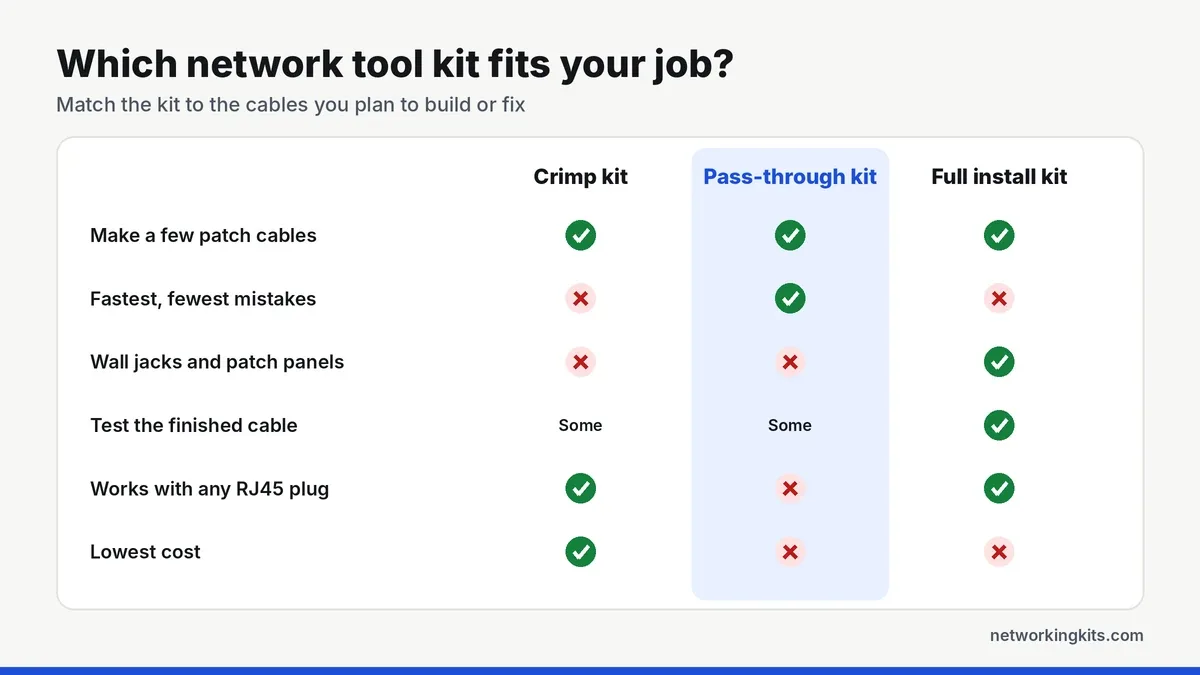
Pass-through is faster and much kinder to beginners. On this list, the two Klein kits and the Solsop use pass-through plugs, while the InstallerParts and Gaobige crimpers are made for standard plugs. Mixing them up is a common reason for messy, unreliable ends.
Our explainer on pass-through versus standard connectors shows the difference up close.
Why the ratchet matters
A ratcheting crimper applies full pressure and will not open until the crimp is done. Non-ratcheting crimpers rely on your grip, which is how you end up with loose pins and cables that work today and fail next month. If you only splurge on one tool, make it the crimper.
What each tester can actually catch
Basic LED testers, like the ones in the InstallerParts, Solsop and Gaobige kits, light up each wire in turn. They catch open wires and most miswires. The Klein LAN Scout Jr. 2 in the 80072 goes further. Its backlit screen shows a pin-to-pin wiremap and flags shorts, miswires and split pairs, a fault simple LED testers can miss.
Neither type proves a cable can reach gigabit or 10 gigabit speeds. That takes a qualification tester, which costs far more. Our Fluke tester comparison covers those tools if you install cable professionally.
Do you need a punch down tool?
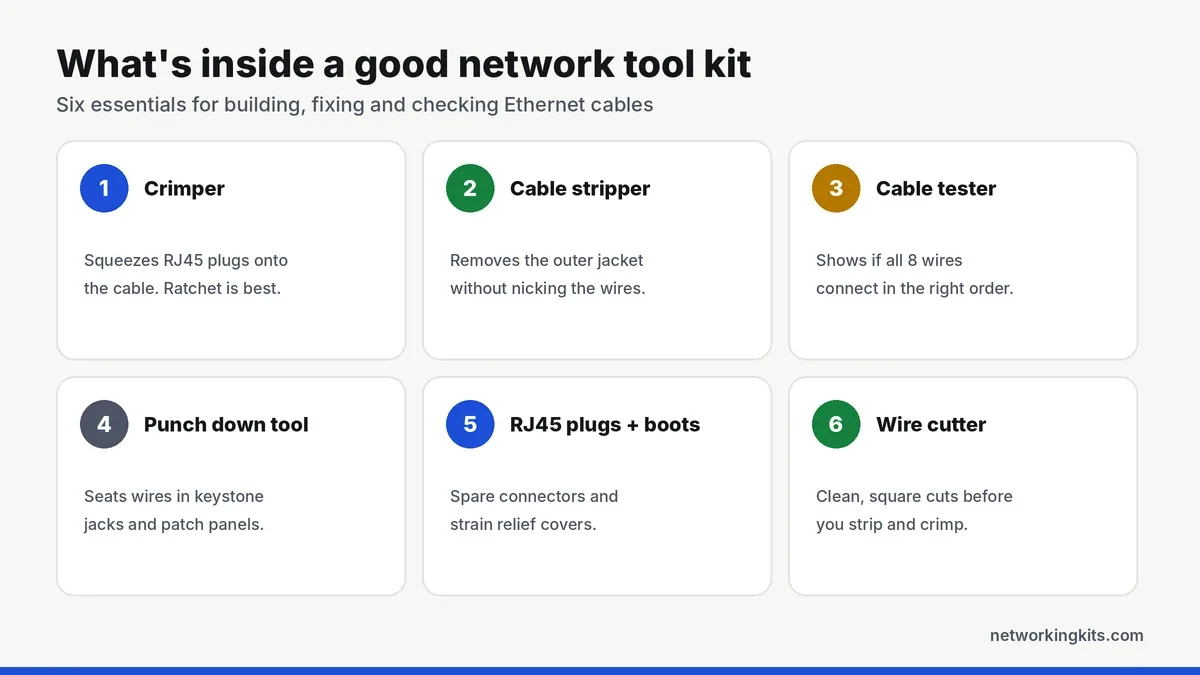
For patch cables, no. For cable that runs through walls to keystone jacks, wall plates or a patch panel, yes. Those connections are punched down rather than crimped. The InstallerParts kit includes a 66/110 punch down tool and the Gaobige includes a 110 tool. The Klein and Solsop kits do not.
New to wall jacks? Our guide on terminating a keystone jack walks through it step by step. If the tool in your kit feels flimsy, our punch down tool reviews cover sturdier options.
Buy a spare bag of plugs with your kit. Even experienced installers lose a few while getting used to a new crimper, and running out halfway through a job is miserable.
Match the plugs to your cable
Cat5e, Cat6 and Cat6A use different wire thicknesses and jacket sizes. Thick 23 AWG Cat6 may not fit plugs made for thinner cable, and that mismatch is behind many complaints about bad connectors. Check that your plugs are rated for your cable's category and gauge, and whether the cable is shielded.
Have not picked a cable yet? Our Cat6 vs Cat6A guide helps you choose.
Get the wire order right
Every kit here works with both wiring standards. What matters is using the same one on both ends of each cable. T568B is the usual choice for patch cables in the US, and our guide to T568A and T568B color codes shows both orders.
Small things that save a job
The LED testers in budget kits usually take a 9V battery that is not in the box, so buy one with the kit. Strain relief boots stop the plug's clip from snapping off. A jacket stripper with an adjustable blade keeps you from nicking the wires inside. None of these cost much, and all of them save a trip back to the store.
Final verdict
If you want one kit that simply works, the Klein Tools 80072 is the best networking tool kit for most people. Its ratcheting pass-through crimper makes clean, reliable plugs, and the wiremap tester confirms every cable before you plug it in. These are tools many professionals carry every day, so they will easily handle home and office jobs. Because the crimper and tester come together, you can build a cable and check it in one go.
Wiring wall jacks or a patch panel for the first time? The InstallerParts 15-in-1 covers the whole job, including a punch down tool, for less money. Already own a tester? The Klein Tools 80024 gives you the same great crimper on its own. Whatever kit you buy, test every cable before you plug it in. On a tight budget for a one-off fix, the Gaobige 11-in-1 will get you through a few cables. Ten seconds now saves an hour of head-scratching later.
Frequently Asked Questions
What tools do I need to make an Ethernet cable?
A cable jacket stripper, an RJ45 crimping tool, RJ45 plugs that match your cable and crimper, and a cable tester to check the wiring. A punch down tool is only needed for keystone jacks, wall plates or a patch panel.
Are pass-through RJ45 connectors better?
For most people, yes. Pass-through connectors let you see that every wire is in the right order before you crimp, and a pass-through crimper trims the ends flush. They are faster and more forgiving, but you need a crimper designed for them.
Can I use pass-through connectors with any crimper?
No. A standard crimper can press the pins but cannot trim the wires that stick out of the front, which leaves a messy end that can short. Use a pass-through crimper such as the Klein VDV226-110 in the 80072 and 80024 kits, or the Solsop tool.
Do I need an expensive cable tester at home?
Not usually. A basic continuity or wiremap tester catches the wiring mistakes behind most problems. Testers that prove a cable meets Cat6 performance cost hundreds or thousands of dollars and are only needed for professional installs.
Which networking tool kit has the best warranty?
The Klein kits. Klein covers its crimpers for the normal life of the tool and its electronic testers, like the LAN Scout Jr. 2, for 2 years. Smaller brands state shorter or less specific terms, so check the listing before you buy.
Tell us a little about your home or office network and we will point you in the right direction. We read every message.

We are network installers and home lab builders who have spent over a decade crimping, punching down and testing cable. Every guide is built from spec sheets, verified buyer feedback and real-world install experience.
How we research and score products →