On this page 8 sections
Two cables, double the speed. It sounds like the easiest upgrade in networking, and it is the number one myth about link aggregation.
Here is the truth. Link aggregation bundles two or more Ethernet ports into one logical link, so your switch and your NAS, server or second switch treat them as a single, wider connection. That is genuinely useful when the whole family is hitting the NAS at once, or when a busy switch is choking on one gigabit cable. And if one cable gets yanked out, everything keeps running on the other. What it will not do is make a single file copy twice as fast. Let us clear up what it can and cannot do, and how to set it up in a few minutes.
How link aggregation works
When you create a link aggregation group, or LAG, you tell the switch that several ports lead to the same place. Instead of treating them as separate links, which would create a network loop, it treats them as one. Traffic is then spread across the cables in the group.
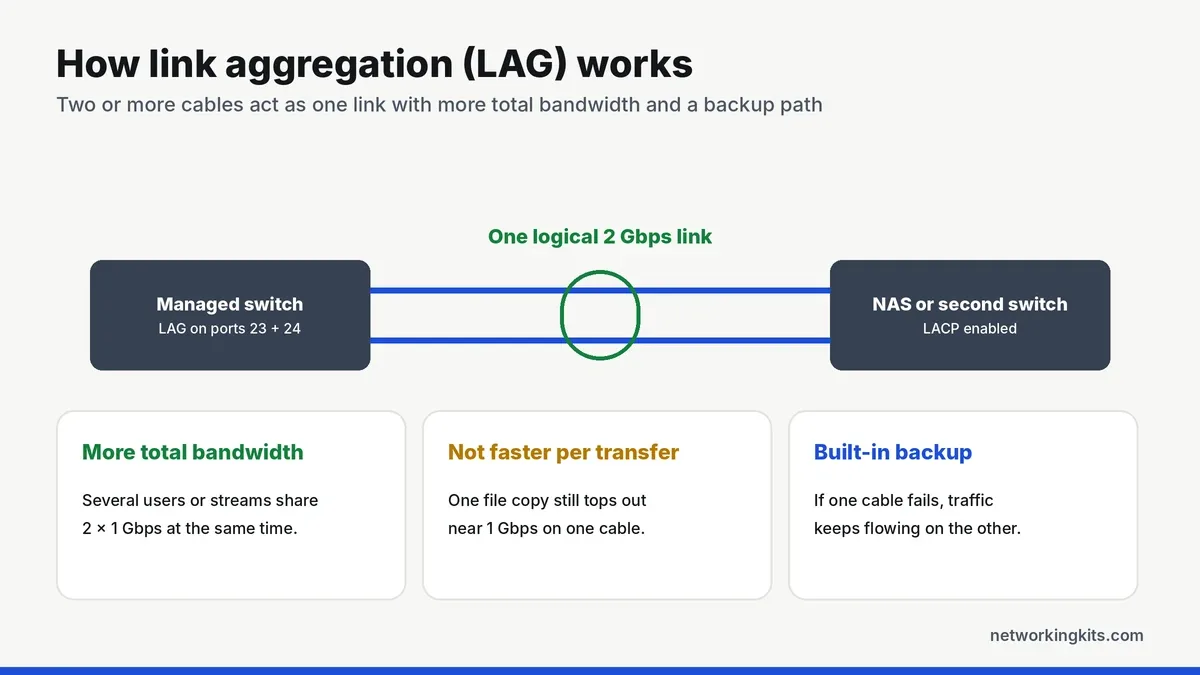
You will see several names for the same idea: link aggregation, LAG, port trunking, NIC teaming, EtherChannel on Cisco gear, and bonding on Linux. The open standard is IEEE 802.3ad, now maintained as the IEEE 802.1AX link aggregation standard, and its control protocol is LACP, the Link Aggregation Control Protocol.
What link aggregation can and cannot do
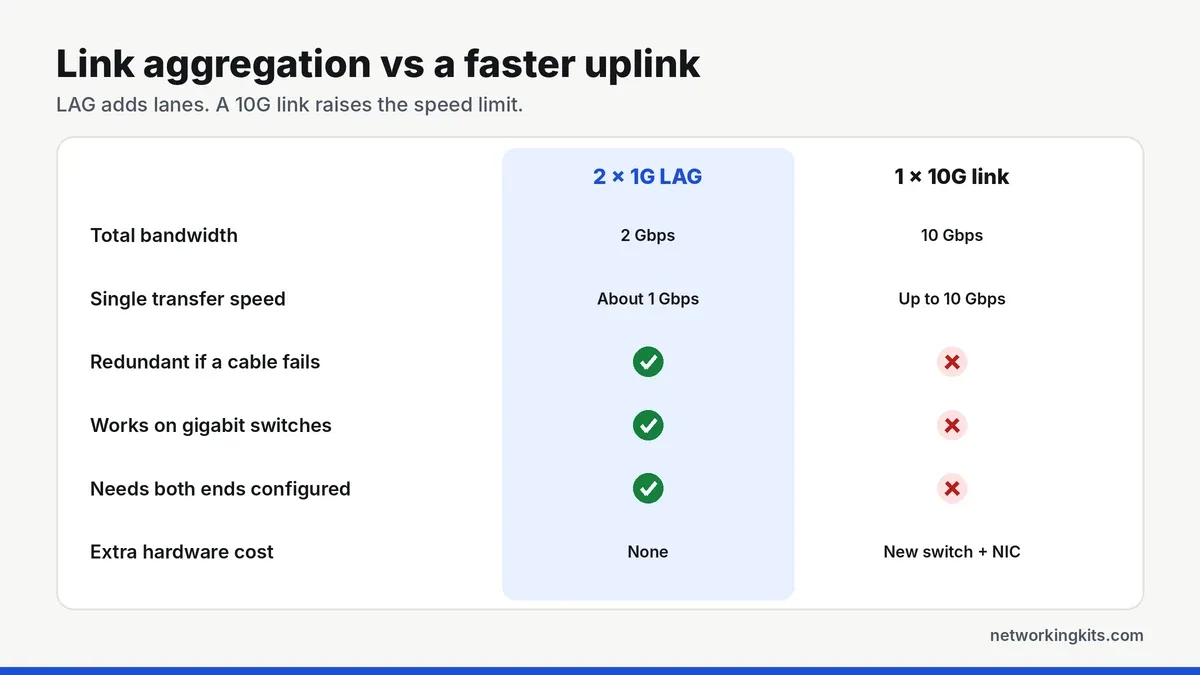
This is where most people get tripped up. Link aggregation adds lanes to the highway. It does not raise the speed limit. More cars can travel at once, but each car still drives at the same speed.
It increases total bandwidth
Two 1 Gbps ports in a LAG give you 2 Gbps of total capacity. When several devices use the link at the same time, such as three PCs backing up to a NAS, the switch spreads them across both cables and everyone gets close to full gigabit speed.
It does not speed up one transfer
A single file copy from one PC to a NAS still tops out around 1 Gbps. The switch uses a hash of addresses to keep each conversation on one cable, which avoids packets arriving out of order. To make one transfer faster, you need a faster link, such as 2.5G or 10G.
It adds redundancy
If one cable or port in the group fails, the link stays up on the remaining members. For a link between two switches, that means a damaged cable slows the network down instead of cutting off half the building.
Static LAG vs LACP
There are two ways to build a group. A static LAG is set up by hand on both ends with no negotiation. LACP has the two ends exchange messages to confirm the group, so it detects a miswired or failed member and removes it automatically. Use LACP whenever both devices support it.
What you need to use link aggregation
Both ends of the link must support it. That means a managed or smart managed switch, since unmanaged switches cannot do it, and a NAS, server, router or second switch that supports 802.3ad or LACP. Most home NAS units from Synology, QNAP and TrueNAS do. You also need one cable per port in the group, and the ports should all run at the same speed. Not sure which kind of switch you have? Our guide to managed vs unmanaged switches explains the difference.
How to set up link aggregation
The exact menus differ by brand, but the steps are the same everywhere.
- Leave the second cable unplugged. Connecting two cables before the LAG exists creates a loop.
- Create the LAG on the switch. In the web interface, open the LAG or link aggregation page, add the ports, and choose LACP.
- Create the bond on the other device. On a NAS, this is usually under network settings as "Create bond" with IEEE 802.3ad.
- Connect the cables. Plug in both cables, then check that the LAG status shows every member as active.
- Test it. Unplug one cable and confirm the connection stays up.
Use adjacent ports, like 23 and 24, for each LAG and label them in the switch interface. It makes the group easy to spot when someone is tracing cables later.
When link aggregation is worth it
So, is it worth the effort? Yes, when several people or devices hit one destination at once: a NAS shared by the whole household or office, a link between two busy switches, or a server running virtual machines. It is not worth it for a single gaming PC or for speeding up your internet connection, since your internet plan is almost always slower than one gigabit port. Our guide to uplink ports covers other ways to fix a busy link between switches.
The bottom line
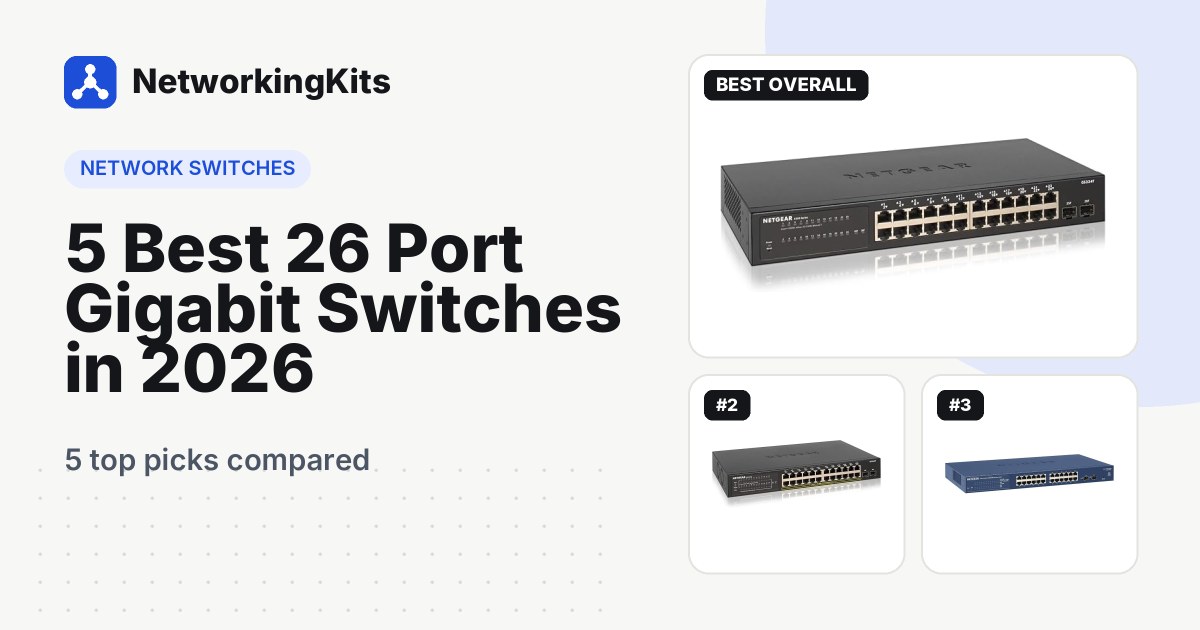
Link aggregation combines several Ethernet ports into one link with more total bandwidth and built-in redundancy. It helps when many devices share a NAS or a link between switches, but it will not make a single file transfer faster. You need a managed switch and a device that supports LACP on the other end. Smart switches like the NETGEAR GS324T in our roundup of 26-port switches make it a five-minute job.
Frequently Asked Questions
Does link aggregation double my speed?
It doubles total bandwidth, not the speed of a single transfer. Two 1 Gbps ports give 2 Gbps shared across several devices, but one file copy still runs at about 1 Gbps.
Can I use link aggregation with an unmanaged switch?
No. Both ends must be configured, and unmanaged switches have no settings. Connecting two cables between an unmanaged switch and another device creates a network loop.
What is the difference between LACP and a static LAG?
A static LAG is set by hand on both ends. LACP negotiates the group automatically and removes a failed or miswired cable, which makes it safer. Use LACP when both devices support it.
Will link aggregation make my internet faster?
No. Your internet speed is limited by your plan and router, which is almost always slower than one gigabit link. Link aggregation helps traffic inside your network, such as to a NAS.

We are network installers and home lab builders who have spent over a decade crimping, punching down and testing cable. Every guide is built from spec sheets, verified buyer feedback and real-world install experience.
How we research and score products →