On this page 11 sections
- How we picked these network cards
- Comparison table
- Our Top Picks Reviewed
- 1. TP-Link TX201 2.5G PCIe Network Card
- 2. GIGABYTE GC-WBAX210 Wi-Fi 6E PCIe Card
- 3. TP-Link Archer TBE552E BE9300 Wi-Fi 7 PCIe Card
- 4. TP-Link TG-3468 Gigabit PCIe Network Card
- 5. TP-Link TX401 10G PCIe Network Card
- Buying guide: how to choose a network card for gaming
- Final verdict
- FAQ
You lined up the shot, clicked first, and still lost the duel. The kill cam insists you were never there. Somewhere between your PC and the game server, the connection blinked.
That blink is not always your provider's fault. A tired onboard network chip, a weak Wi-Fi link or a motherboard that never had Wi-Fi at all can add jitter and packet loss that no faster plan will cure. A good network card is one of the cheapest fixes a gaming PC can get, and it takes about five minutes with a screwdriver.
Our shortlist started with the PCIe network cards gamers buy most on Amazon.com, both wired and Wi-Fi. We confirmed each card's chipset, slot and speed on the maker's spec pages, then read what gamers and PC builders report after months of use. Here is where we landed.
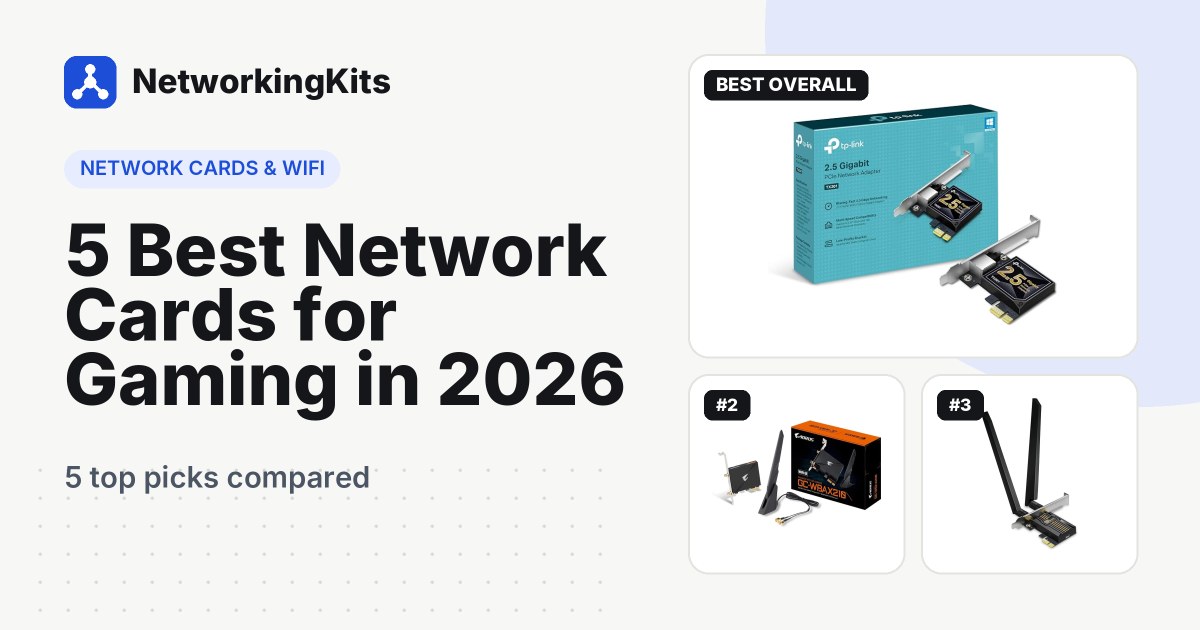
Quick answer: If you can run a cable to your desk, get the TP-Link TX201 2.5G PCIe card. It is cheap, most owners say Windows picks it up without a driver disc, and it leaves room to grow past Gigabit internet. If you need wireless, the GIGABYTE GC-WBAX210 Wi-Fi 6E card is the proven choice. Already own a Wi-Fi 7 router? The TP-Link Archer TBE552E is the card that can use it.
These are widely used cards, so there is plenty of real-world experience to go on, including a few weak spots we will be upfront about. A new card fixes problems on your side of the network. For everything else that affects lag, see our guide on cutting ping in online games.
How we picked these network cards
Gaming asks different things of a network card than downloading files does. We judged every card on what actually shows up in a match:
- Stability before speed. A steady link with no dropouts beats a big speed test number. Reports of disconnects and failures weighed heavily.
- Real speeds, not box speeds. We looked at what owners actually measure on their own networks.
- Painless installation. Driver trouble, missing Bluetooth and operating system limits all came up in reviews, so we flag them.
- The right card for the setup. Most gamers do not need 10 Gigabit. We matched each pick to the PC and network it suits.
Best Network Cards for Gaming Compared (2026)
| Product | Type | Max speed | Slot | Bluetooth | Warranty | Score | |
|---|---|---|---|---|---|---|---|
 Best OverallTP-Link TX201 2.5G PCIe Network CardWired gaming PCs, especially on plans faster than 1 Gbps | Wired Ethernet | 2.5 Gbps | PCIe 2.1 x1 | No | 2 years | 9.3 | Check Price |
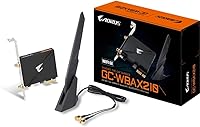 | Wi-Fi 6E + Bluetooth | 2.4 Gbps | PCIe x1 | Yes, 5.2 | 1 year limited | 8.9 | Check Price |
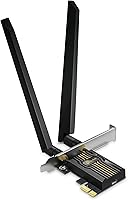 | Wi-Fi 7 + Bluetooth | 5,764 Mbps (6 GHz) | PCIe x1 | Yes, 5.4 | 2 years | 8.6 | Check Price |
 Best BudgetTP-Link TG-3468 Gigabit PCIe Network CardPlans up to 1 Gbps or replacing a dead onboard port | Wired Ethernet | 1 Gbps | PCIe x1 | No | 2 years | 8.5 | Check Price |
 Best for 10G NetworksTP-Link TX401 10G PCIe Network CardGamers with a NAS, multi-gig switch or plan above 2.5 Gbps | Wired Ethernet | 10 Gbps | PCIe 3.0 x4 | No | 2 years | 8.2 | Check Price |
Our Top Picks Reviewed
Here is a closer look at all 5 of our picks for the best network cards for gaming: what each one does well, where it falls short and who it suits best, based on the specs and real buyer feedback.

TP-Link TX201 2.5G PCIe Network Card
- Type
- Wired Ethernet
- Max speed
- 2.5 Gbps
- Slot
- PCIe 2.1 x1
- Bluetooth
- No
- Extras
- Low-profile bracket, QoS, WoL
- Warranty
- 2 years
This is the card we would put in almost any gaming PC with a cable running to it. The TP-Link TX201 is a simple PCIe x1 card with one 2.5 Gigabit Ethernet port. It costs about as much as a couple of games on sale, and more than 2,000 sell every month.
Owners are very happy with it. Buyers measure real speeds of roughly 2.2 to 2.4 Gbps, and many say it worked without installing a driver on Windows and Unraid. One owner credits it with saving them from buying a whole new PC.

So why 2.5 Gigabit for gaming? Not for the match itself, which uses only a trickle of data. The win is headroom. If your plan is faster than 1 Gbps, or you pull huge game updates and copy files to a NAS, the port stops being the bottleneck. You also get a fresh network chip, which cures a lot of mystery dropouts from a failing onboard port. It runs happily at Gigabit until the rest of your network catches up.
A minority of owners do report intermittent drops on some systems, and a few cards gave out early. The latest TP-Link driver plus the power-saving fix in our buying guide sorts out many of those cases. Both full-height and low-profile brackets are in the box, it supports QoS and Wake on LAN, and TP-Link covers it for 2 years.
What we like
- Owners measure about 2.2 to 2.4 Gbps
- Often works without a driver install
- Runs at Gigabit until you upgrade
- Low price for multi-gig
Good to know
- Some see drops, often fixed with the latest driver
- Extra speed needs a faster plan or network
- Turn off adapter power saving in Windows

GIGABYTE GC-WBAX210 Wi-Fi 6E PCIe Card
- Type
- Wi-Fi 6E + Bluetooth
- Max speed
- 2.4 Gbps
- Slot
- PCIe x1
- Bluetooth
- Yes, 5.2
- Extras
- Magnetic antenna base
- Warranty
- 1 year limited
Can't run a cable to your desk? Then this is the internal Wi-Fi card we trust most. The GIGABYTE GC-WBAX210 is built around Intel's AX210 Wi-Fi 6E module, one of the most widely used and best supported Wi-Fi chips in desktop PCs. It also adds Bluetooth 5.2 for your controller and headset.
The 6 GHz band is the big deal for gaming. Wi-Fi 6E routers can use it, and it is usually far quieter than 2.4 and 5 GHz, so your neighbors' networks get in the way less. Less interference means steadier ping, which matters more than peak speed. The card supports 2x2 connections at up to 2.4 Gbps.

The magnetic antenna base is a small touch that pays off. Set it on top of your desk, and it gets a cleaner signal than antennas stuck behind a metal case.
There is a deep pool of owner feedback on this card, and it is mostly positive. Owners report speeds of up to around 850 Mbps across the house, and some say installation took as little as 30 seconds. Signal strength and Bluetooth range both earn strong praise.
Two things to know. Most owners describe rock-solid connections, but some see random disconnects, and a number mention setup trouble on Windows 11. Both are usually driver issues, so install Intel's latest Wi-Fi and Bluetooth drivers instead of relying on Windows Update. Bluetooth also needs a free USB 2.0 header on your motherboard. GIGABYTE lists a 1-year limited warranty. It works with older routers too, on 2.4 and 5 GHz.
What we like
- Proven Intel AX210 Wi-Fi 6E chip
- Quieter 6 GHz band for steadier ping
- Magnetic antenna base for better signal
- Quick, easy installation
Good to know
- Install Intel's latest drivers to avoid dropouts
- Bluetooth needs a free USB 2.0 header
- 6 GHz needs a Wi-Fi 6E or 7 router
TP-Link Archer TBE552E BE9300 Wi-Fi 7 PCIe Card
- Type
- Wi-Fi 7 + Bluetooth
- Max speed
- 5,764 Mbps (6 GHz)
- Slot
- PCIe x1
- Bluetooth
- Yes, 5.4
- Extras
- High-gain antennas, MLO
- Warranty
- 2 years
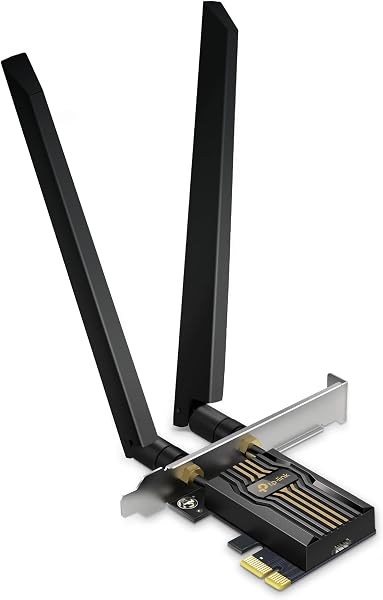
A Wi-Fi 7 router is wasted on a PC with a Wi-Fi 6 card. The TP-Link Archer TBE552E closes that gap. It is a tri-band BE9300 card with Bluetooth 5.4 and two high-gain antennas, and it brings the headline Wi-Fi 7 features to a desktop.
Two of them matter for gaming. Multi-Link Operation (MLO) lets the card use more than one band at once, which can trim latency and keep the link steady when one band gets busy. On 6 GHz, Wi-Fi 7 also doubles channel width to 320 MHz, for a link rate of up to 5,764 Mbps. None of that works without a Wi-Fi 7 router, but with one, your PC can finally use it.

Read this before you order: TP-Link lists it as Windows 11 only. There is no Windows 10 or Linux support, and compatibility is the one clearly negative theme in reviews. Bluetooth also needs a USB header on your motherboard, like every PCIe Wi-Fi card.
Most owners are pleased. They call it reliable and well built, and one says it beats the USB adapters they tried before. Several report download speeds above their advertised Gigabit plan.
The unhappy minority mostly describe disconnects or Bluetooth hiccups, which is common for brand-new Wi-Fi 7 hardware as drivers mature. Keep the driver current from TP-Link's site. Low-profile and full-height brackets are included, and the warranty runs 2 years.
What we like
- Wi-Fi 7 MLO for steadier latency
- 320 MHz channels on 6 GHz
- Owners say it beats USB adapters
- Bluetooth 5.4 and both brackets
Good to know
- Windows 11 only, so check your OS first
- Needs a Wi-Fi 7 router to shine
- Keep drivers current for stable Bluetooth

TP-Link TG-3468 Gigabit PCIe Network Card
- Type
- Wired Ethernet
- Max speed
- 1 Gbps
- Slot
- PCIe x1
- Bluetooth
- No
- Extras
- Low-profile bracket, WoL
- Warranty
- 2 years
Your onboard Ethernet port died after a storm, or it drops out every time a big download starts. Do you need a new motherboard? Almost certainly not. You need one of these.
The TP-Link TG-3468 is a basic Gigabit PCIe card, and it is one of the best-selling network cards on Amazon. It usually costs about as much as a fast food meal. That is why it is on a gaming list. Gigabit is still plenty for most internet plans, and the most common reason to buy a card is replacing a port that has failed.

Owners are overwhelmingly positive. Buyers say it works straight out of the box, with plug-and-play setup on Windows 10 and Linux. One mentions great online gaming performance, and several, like TX201 owners, say it spared them from replacing their PC.
It fits a PCIe x1 slot, supports Wake on LAN and includes both bracket sizes. Most cards run for years. The 2-year TP-Link warranty has you covered if anything goes wrong. At this price, that is a risk most people are comfortable with.
Already happy with Gigabit and just want the PC and a console both wired? Add a small switch behind the desk. Our list of the top 5-port gigabit switches has cheap, silent options.
What we like
- Extremely affordable
- Plug-and-play on Windows and Linux
- Fits any PCIe x1 slot, both brackets included
- Quick fix for a broken onboard port
Good to know
- Gigabit only, plenty for most plans
- A few early failures, covered by warranty
- Basic card with no extra features

TP-Link TX401 10G PCIe Network Card
- Type
- Wired Ethernet
- Max speed
- 10 Gbps
- Slot
- PCIe 3.0 x4
- Bluetooth
- No
- Extras
- 1.5 m Cat6A cable included
- Warranty
- 2 years
No game needs 10 Gigabit. Your ping and stability in a match will feel the same as on a good 2.5G card. So who is the TP-Link TX401 for? Gamers who are also serious about their home network.
Own a 10G NAS, a home server or a multi-gig switch? Then copying a 150 GB game library or a folder of recorded gameplay takes a fraction of the time. It also makes sense if your provider sells plans above 2.5 Gbps. The card runs at 10, 5, 2.5 and 1 Gbps, so it adapts to whatever is on the other end.

TP-Link includes a 1.5 meter Cat6A cable in the box, a thoughtful touch since an old patch cable may not handle 10G. Both bracket sizes come with it, and it is covered for 2 years.
It is hugely popular, with over a thousand sold every month. The feedback is more mixed than for our other picks, though. Buyers praise its speed and value compared with pricier 10G cards. The weaker comments cover reliability and compatibility, including some crashes and the card re-initializing.
Two practical points explain many of those reports. The TX401 is a PCIe 3.0 x4 card, so it needs a slot with at least four lanes to run at full speed. And 10G cards run warm, so give it some airflow from your case fans. For gaming alone, the TX201 is the smarter buy.
What we like
- Runs at 10, 5, 2.5 and 1 Gbps
- Huge speed-up for local file copies
- Cat6A cable included
- Good value for 10G
Good to know
- Needs a PCIe x4 slot or larger
- Runs warm, so keep case airflow up
- Mixed reliability reports, keep drivers updated
What we ruled out
Not everything that shows up in a search made our list. Here is what we left out and why, so you know what to avoid when you shop.
- USB Wi-Fi dongles and USB Ethernet adapters. They suit laptops, but a desktop gets bigger antennas and a steadier link from a card in a PCIe slot.
- Bare M.2 Wi-Fi modules. They need a spare M.2 Wi-Fi slot and your own antennas. A PCIe card with everything included is far easier for most builders.
- Older Wi-Fi 5 and plain Wi-Fi 6 cards. Wi-Fi 6E cards cost little more and add the quieter 6 GHz band, so older standards no longer made sense for a new gaming build.
- Unknown brands and cards without a proven track record. Network cards live or die by driver support, so we kept to makers with established drivers and a long trail of owner feedback.
Buying guide: how to choose a network card for gaming
The right card depends less on the numbers printed on the box and more on three questions. How does your PC connect, what router do you own, and which slots are free on your motherboard?
Wired or Wi-Fi?
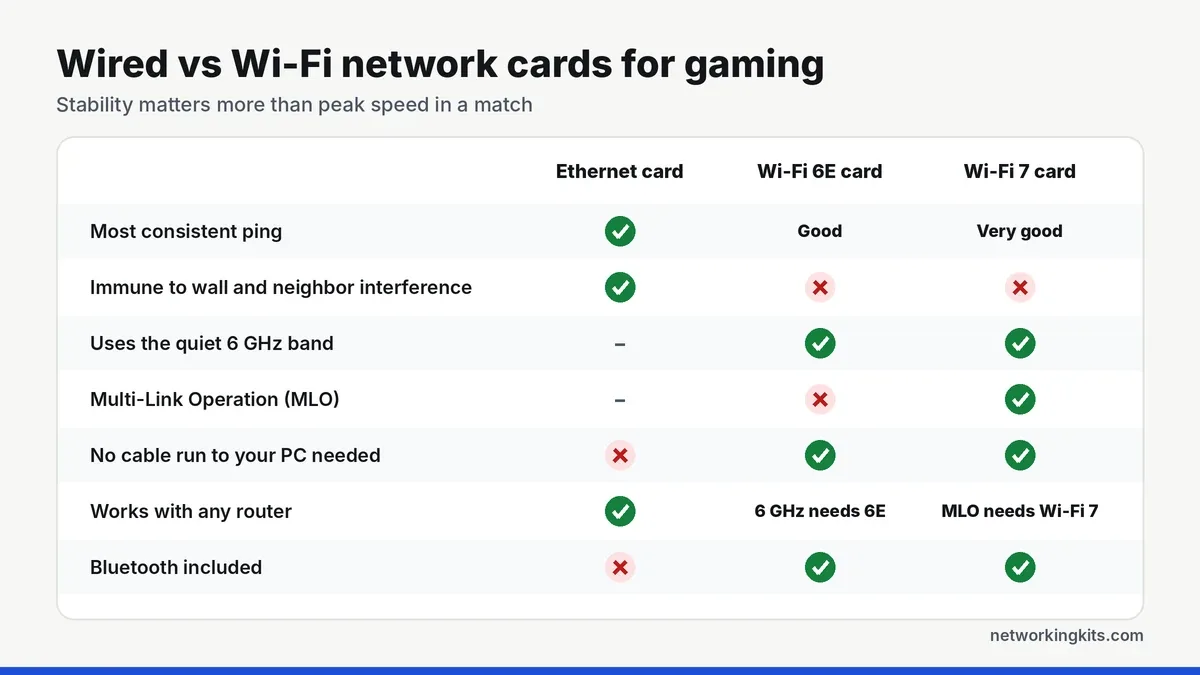
If you can run an Ethernet cable to your PC, do it. A wired link has the lowest, most consistent latency and ignores walls, microwaves and the neighbors. Wi-Fi 6E and Wi-Fi 7 on a clean 6 GHz channel can feel very close to wired. Still, they depend on your router, the distance and how busy the airwaves are.
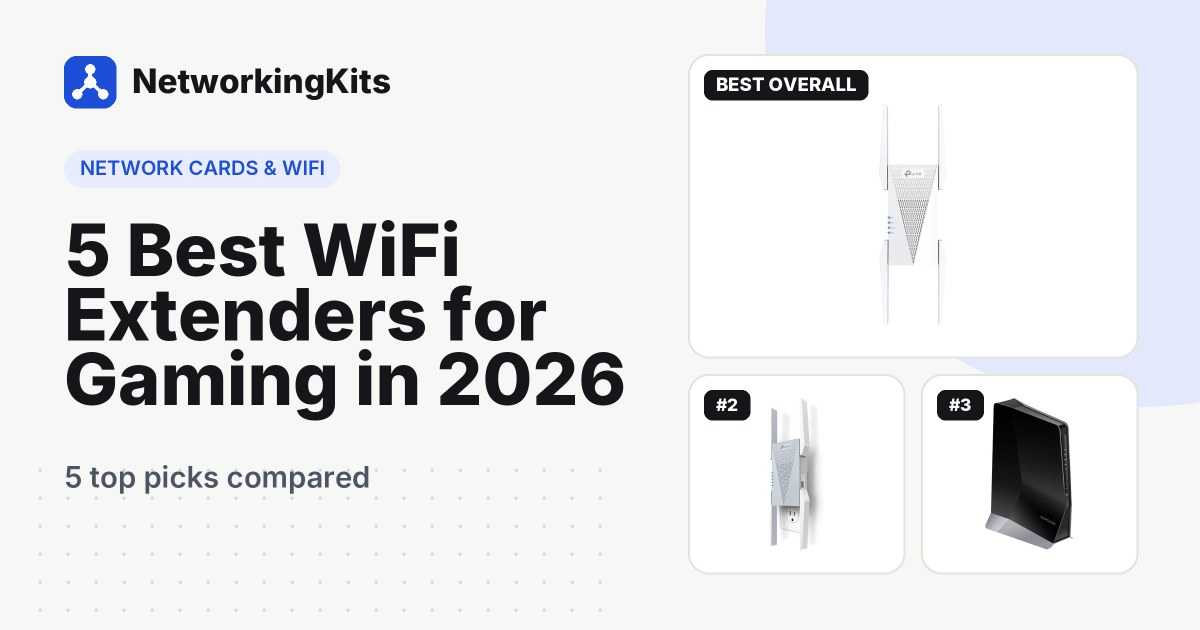
Is a long cable run impractical? Bringing Ethernet closer is often better than going fully wireless. An extender with a gigabit port near your desk works well, and our comparison of a Wi-Fi extender vs a mesh system helps you choose between the two.
Is your onboard port the real problem?
Before you buy anything, run a quick check. Plug a laptop into the same cable and router port. If the laptop is steady and the PC is not, the PC's network hardware or driver is the likely culprit.
Other clues point the same way. The link light blinks off for a second during games, Windows shows the connection dropping to 100 Mbps, or the port stopped working after a power surge. Any of those makes a new card a cheap, sensible fix. If the laptop struggles too, look at the cable, the router or your provider first.
How fast does your card need to be?
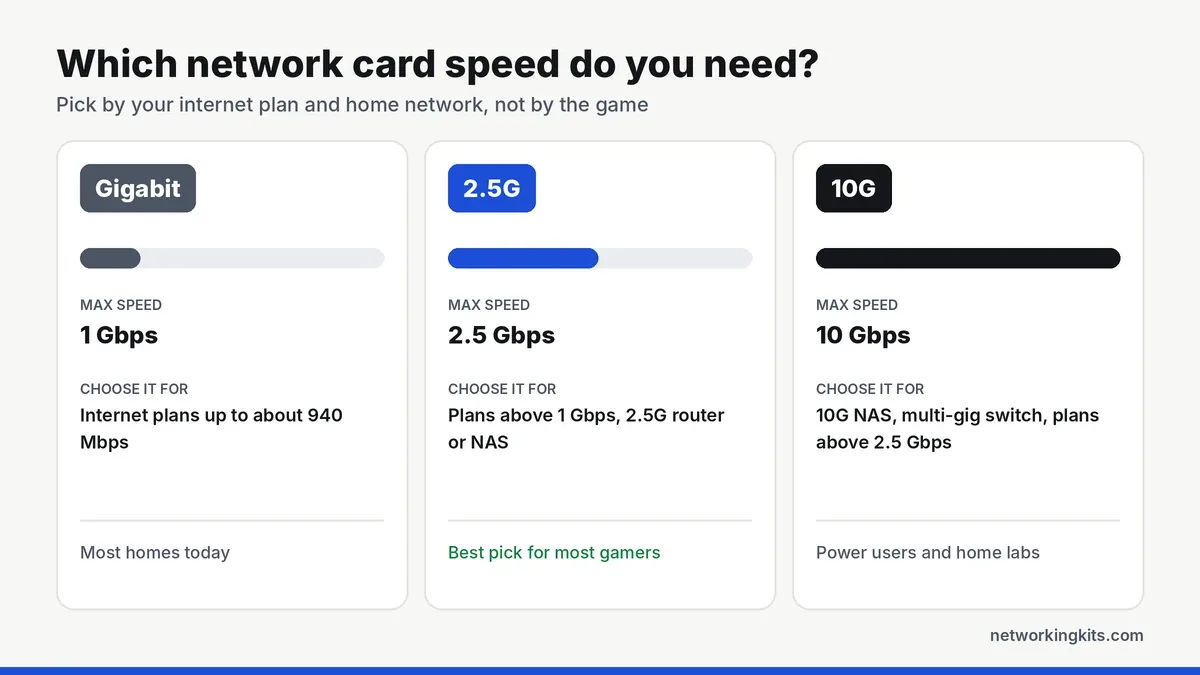
For the game itself, almost any modern card is fast enough, because matches use very little bandwidth. Your internet plan and home network decide the speed you need. A Gigabit card tops out around 940 Mbps in real use, so step up to 2.5G if your plan is faster than that. Only consider 10G with a 10G NAS, a multi-gig switch or a plan above 2.5 Gbps.
Check your PCIe slot and your router
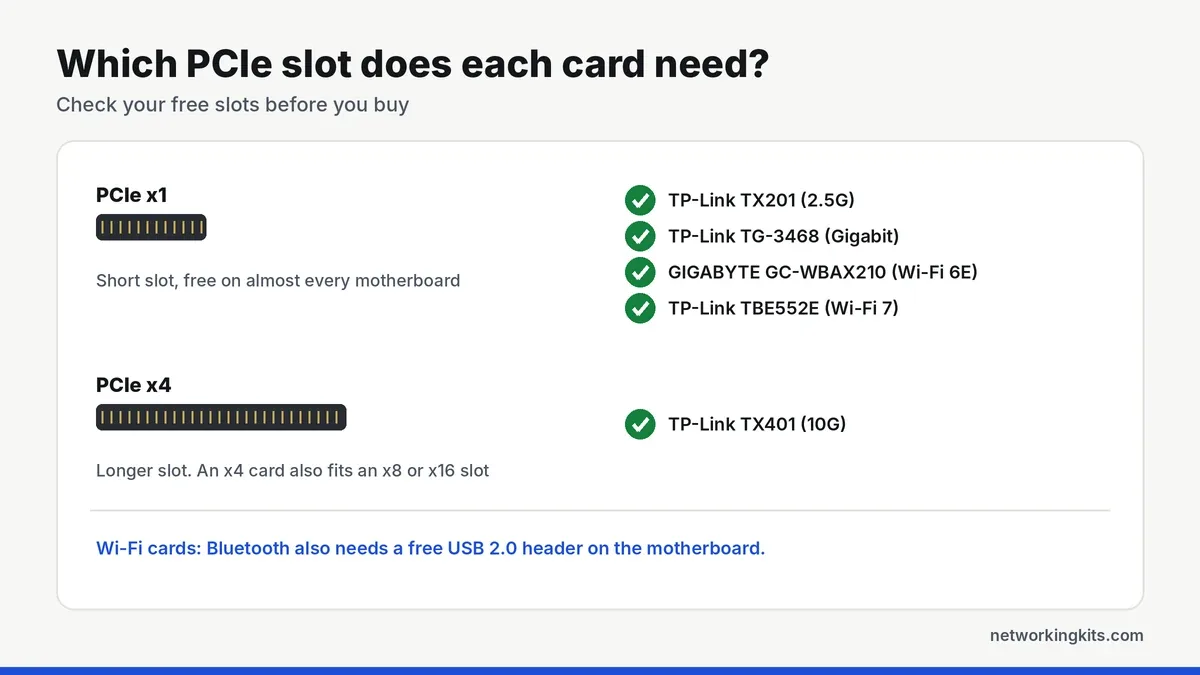
Four of our five picks use a short PCIe x1 slot, which almost every motherboard has free. The TX401 is the exception and needs a longer x4 slot. A big graphics card can block the slot right below it, so check which slots you can actually reach in your case.
For Wi-Fi cards, the router matters as much as the card. A Wi-Fi 6E card only reaches 6 GHz with a Wi-Fi 6E or 7 router. Wi-Fi 7 tricks like Multi-Link Operation and 320 MHz channels need a Wi-Fi 7 router. With an older router, the card still works, just at the older standard.
After installing any network card, open Device Manager, find the adapter and go to its Power Management tab. Untick "Allow the computer to turn off this device to save power". It stops a surprising number of random disconnects.
Bluetooth and drivers
PCIe Wi-Fi cards usually include Bluetooth for controllers and headsets. It only works when the card's small cable is plugged into a USB 2.0 header on the motherboard. Windows often installs a working driver on its own, but the latest version from the chip or card maker is usually more stable. Check operating system support before you buy, because some Wi-Fi 7 cards are Windows 11 only.
Do not forget the cable
A fast wired card is only as good as the cable plugged into it. Cat5e or better handles 2.5G, while 10G calls for Cat6A. Our explainer on the difference between Cat6 and Cat6A shows where each one fits. If your cables came free with a router years ago, the picks in our guide to the best Ethernet cables for gaming consoles work just as well for a PC.
Final verdict
For most players, the TP-Link TX201 is the best network card for gaming. It is affordable, stable and easy to install, and its 2.5G port means your network card will not hold you back when your internet plan gets faster. If your PC is wired to the router, this is the upgrade to make. It works with Windows and Linux, needs only a spare PCIe slot, and takes a few minutes to fit even if you have never opened your PC before.
Can't run a cable to your gaming PC? The GIGABYTE GC-WBAX210 is the proven Wi-Fi 6E card, and the TP-Link Archer TBE552E is worth it if you own a Wi-Fi 7 router. On a tight budget, or simply replacing a dead onboard port, the TP-Link TG-3468 does the job for very little money. A new card cannot fix a slow plan or a far-away game server, but it can make sure your own PC is never the weak link.
Frequently Asked Questions
Does a network card improve gaming ping?
It cannot shorten the distance to the game server, so your base ping stays the same. What it can fix are problems on your side, like a failing onboard port or weak Wi-Fi, that cause lag spikes, jitter and packet loss. Games often feel much smoother as a result.
Is 2.5G Ethernet worth it for gaming?
Not for the match itself, since games use very little bandwidth. It is worth it if your plan is faster than 1 Gbps, you download big updates often, or you own a 2.5G router, switch or NAS. It costs only a little more than a Gigabit card.
Is a PCIe Wi-Fi card better than a USB Wi-Fi adapter?
Usually, yes. PCIe cards have larger external antennas, connect directly to the motherboard and tend to hold a steadier connection than small USB adapters. Most also include Bluetooth. USB adapters make more sense for laptops or PCs with no free slot.
Do I need a Wi-Fi 7 router to use a Wi-Fi 7 card?
The card works with older routers, but only at their standard. Features like Multi-Link Operation and 320 MHz channels need a Wi-Fi 7 router. With a Wi-Fi 6 or 6E router, a Wi-Fi 6E card such as the GIGABYTE GC-WBAX210 is better value.
Why is Bluetooth not working on my PCIe Wi-Fi card?
Most PCIe Wi-Fi cards carry Bluetooth through a small cable that plugs into a USB 2.0 header on the motherboard. If it is not connected, Wi-Fi works but Bluetooth does not. Installing the latest Bluetooth driver from the chip maker also helps.
Tell us a little about your home or office network and we will point you in the right direction. We read every message.

We are network installers and home lab builders who have spent over a decade crimping, punching down and testing cable. Every guide is built from spec sheets, verified buyer feedback and real-world install experience.
How we research and score products →